Redefine Your Workflow with
Canopy Wave Chat
Redefine Your Workflow with Canopy Wave Chat
Table of Contents
How AI Integration with Office Tools Boosts Work Efficiency
Introduction
Every day, office workers worldwide spend nearly 420 million hours on repetitive tasks. Artificial Intelligence (AI) is reclaiming that time and redefining the meaning of work efficiency.
When AI seamlessly integrates with your daily office tools, it doesn't just enhance speed—it elevates the intelligence of your entire workflow. This article reveals how AI can become your ultimate "efficiency secret weapon."
AI is transforming this landscape. With deep integration into everyday office tools, we are experiencing a revolution in workplace productivity. From automated report generation to intelligent data analysis, meeting summaries to predictive planning, AI is no longer a distant concept but a practical tool to supercharge efficiency.
Why Choose Canopy Wave's AI Solution?
Our company's AI platform is powerful, seamlessly integrating with your preferred office tools (SheetAI App, Arcwise, ChatCSV, Numerous AI, etc.), and our models are finely tuned for optimal performance.
1. Enterprise-Grade Security and Privacy: Your data is your asset. Our infrastructure is built on private clouds with strict access controls, end-to-end encryption, and optional on-premises deployment, ensuring sensitive business data is never used to train third-party models.
2. Multi-Model Selection: Flexibly switch between top-tier AI models based on task needs for the best results.
3. Model Parameter Fine-Tuning: Adjust core model parameters to meet your specific scenarios and personalized requirements.
4. Multi-Model Output Comparison: Generate and compare outputs from multiple models side by side, helping you choose the best solution intuitively.
5. Feature-Rich: Integrates a wide range of capabilities, from content generation and code writing to data analysis, providing an all-in-one AI work platform to meet diverse needs.
4 AI Office Hacks to Save You 2 Hours Daily
Hack 1: Automate Complex Excel Reports in 3 Steps
Pain Point: Manually merging, cleaning, and analyzing multiple data sources is time-consuming and error-prone.
Solution: Use Canopy Wave's data insight model to replace VLOOKUP and pivot tables with a single command.
Steps in Canopy Wave:
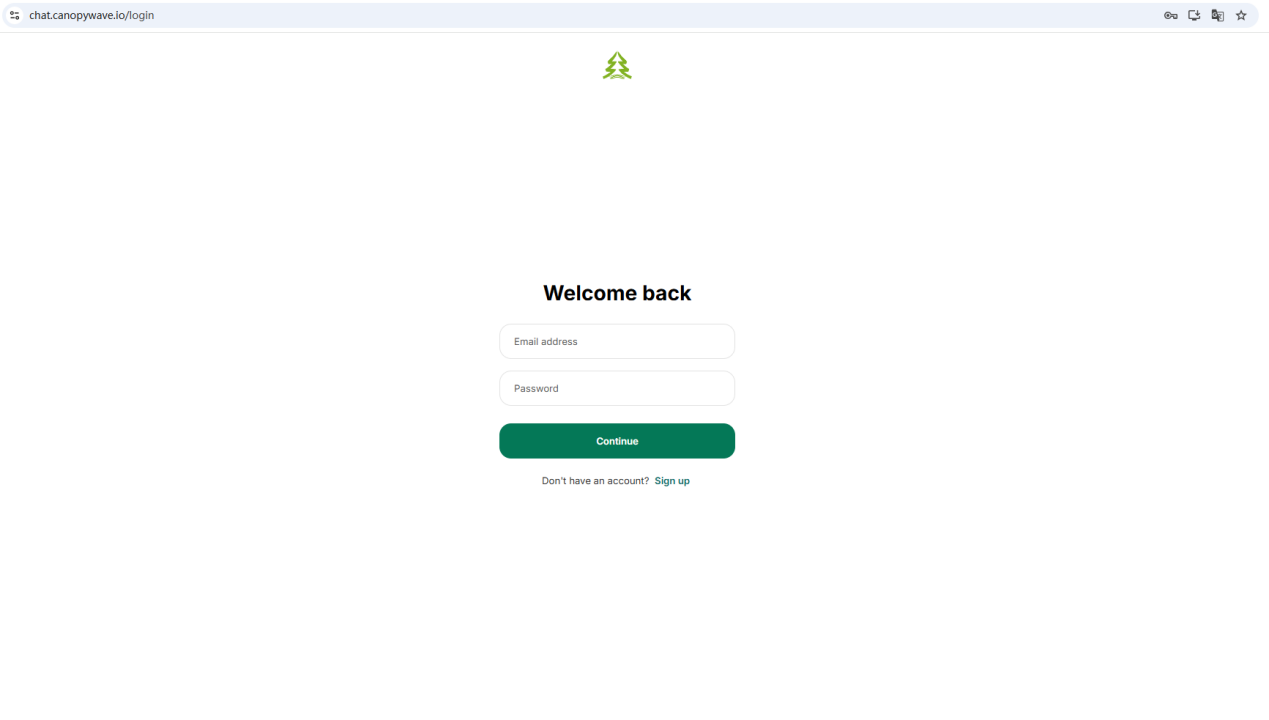
1. Log in to the main Chat interface at `https://chat.canopywave.io/login.`
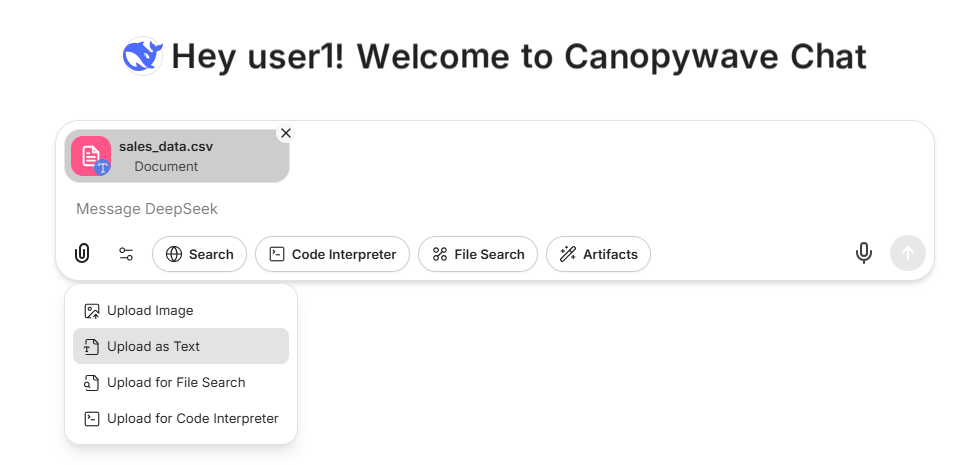
2. Upload your Excel or CSV file.
3. Enter the command(copy-paste ready):
"Please sort the items by category, highlight the top 10 best-selling products, and generate a new table."
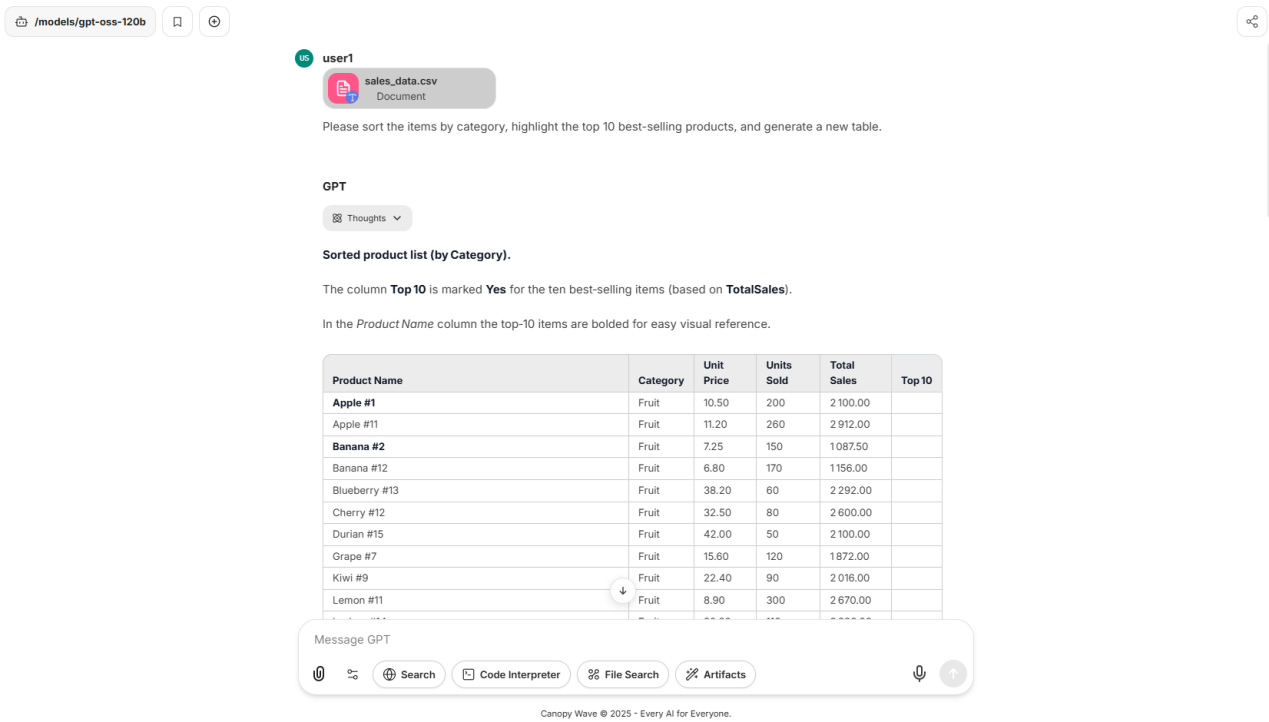
Result: AI generates cleaned data, visualized charts, and textual analysis in seconds, exportable with one click.
Hack 2: One-Click Meeting Minutes and Task Lists
Pain Point: Scattered meeting information and unclear task assignments lead to time-consuming follow-ups.
Solution: Use Canopy Wave's AI model to automatically summarize and organize.
Steps in Canopy Wave:
1. Convert your meeting recording to text or paste text notes directly
2. Enter the command in the Chat interface:
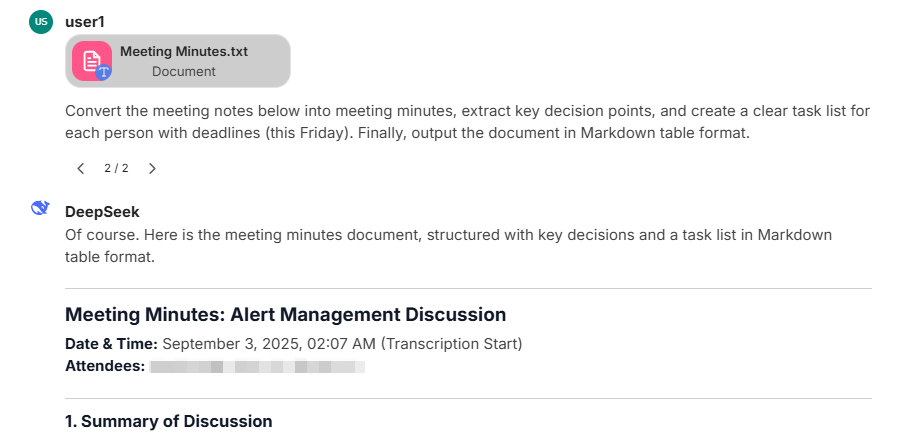
"Convert the meeting notes below into meeting minutes, extract key decision points, and create a clear task list for each person with deadlines (this Friday). Finally, output the document in Markdown table format."
Result: A clear task list ready to be copied into project management tools, ensuring team alignment.
Hack 3: Generate a Professional PPT Draft in 10 Minutes
Pain Point: Creating PPTs is time-intensive, with content sourcing and formatting taking up most of the effort.
Solution: Use Canopy Wave's content creation model to quickly build a framework.
Steps in Canopy Wave:
1. Enter your core theme and objectives in the Chat interface
2. Try this command: "Generate a PowerPoint outline for the 'Q2 2024 Product Launch Plan' comprising 12 pages: Cover Page, Table of Contents, Market Background, Product Highlights, Target Audience, Marketing Strategy, Channel Planning, Budget Allocation, Timeline, Key Performance Indicators (KPIs), Summary, and Q&A."
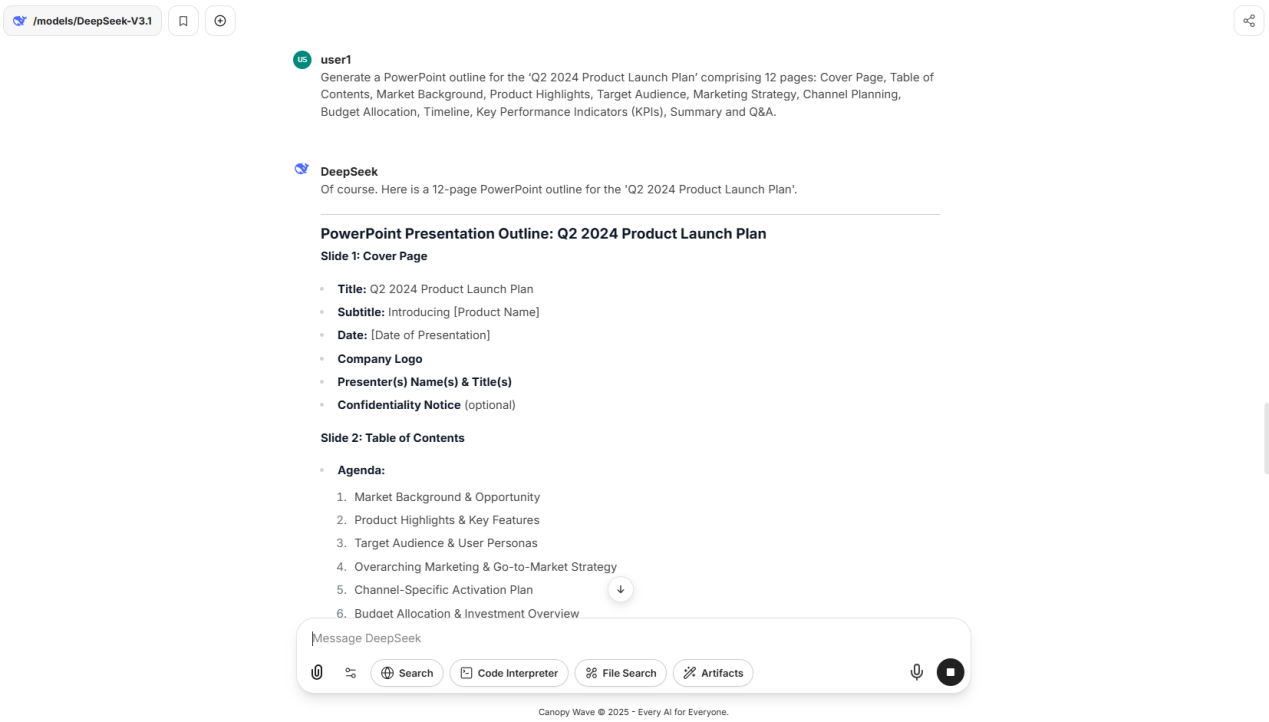
Result: Based on the outline, you can further instruct AI to generate detailed content for each slide, drastically reducing creation time.
Hack 4: 3 Structured Prompt Formulas to Make AI Understand You Better
Pain Point: AI outputs are too generic and lack precision.
Solution: Use structured prompts to communicate effectively with AI.
Formula 1: Role + Task + Format
Example: "As a seasoned Chief Financial Officer (role), analyze this income statement (task). Summarize the primary issues in 200 words and present them as three key points (format)."
Formula 2: CRISPE Framework (Context, Role, Insight, Statement, Personality, Experiment)
Example: After providing the AI with the necessary data context, use this prompt: "As a data analytics specialist (role), based on past data insights, draft an email (statement) to the CEO using professional yet concise language (personality), recommending that the company focus its marketing investment (experiment) on Product A in the next quarter."
Ready to Transform Your Workflow? Try Canopy Wave Today!
Don't let repetitive tasks hold you back. Experience the power of Canopy Wave's AI platform and unlock a smarter, faster, and more efficient way to work.
Sign up now for a free trial at http://chat.canopywave.io and discover how our AI tools can save you hours every day. Join thousands of professionals who are already revolutionizing their workflows—start your journey to 300% productivity today!
Share