Free 7-Day Trials: UFree 7-Day Trials: Unlimited Token Plan & Coding Plan. Claim NowDeepSeek V3.1

GPU temperature range-From normal operation to dangerous overheating

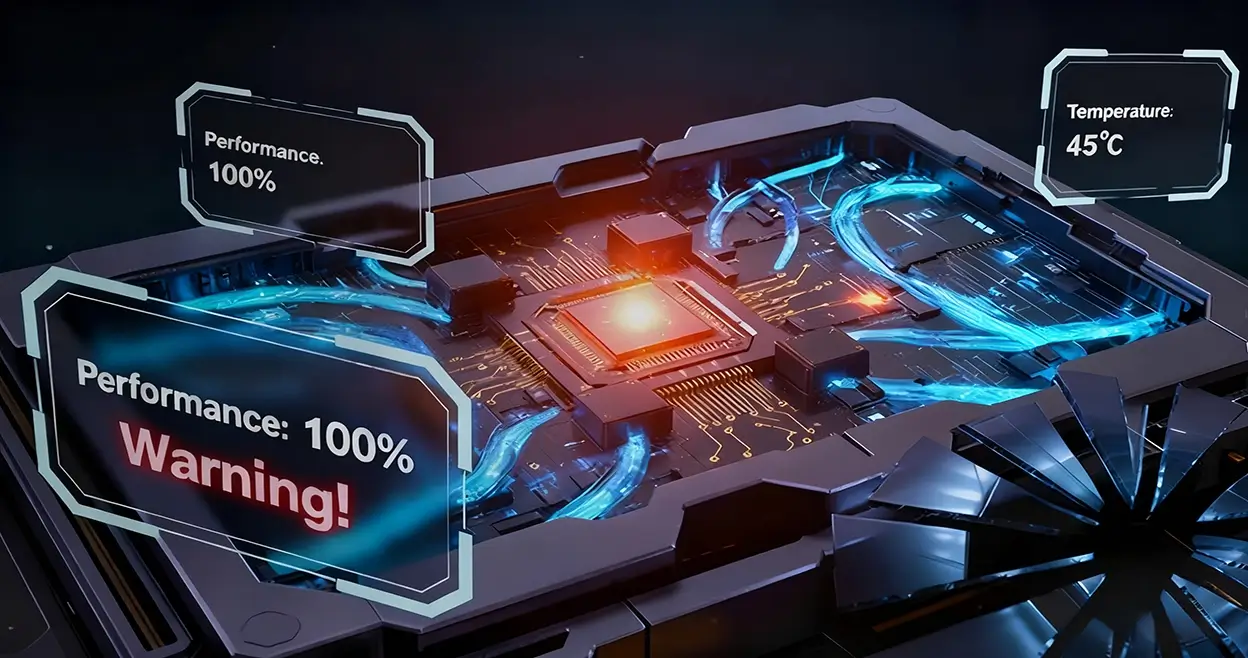
As workloads increase, GPU temperature management becomes particularly important, as it relates not only to system stability but also directly affects hardware lifespan and performance.
By Technical Support
October 28, 2025
NewsroomBlogGPU temperature range-From normal operation to dangerous overheating
GPU temperature range-From normal operation to  dangerous overheating

In the digital age, GPUs have become not only the core of the gaming experience but also critical components for artificial intelligence, machine learning, and high-performance computing. As workloads increase, GPU temperatures also rise. GPU temperature not only affects system stability but also directly impacts hardware lifespan and performance.Therefore, GPU operating temperature management becomes particularly important, and understanding the GPU temperature range is essential.

I. Why is GPU Temperature Important?

GPUs generate significant heat when handling intensive tasks. Excessively high temperatures can cause thermal throttling, where the GPU automatically reduces clock speeds to prevent hardware damage. This directly leads to performance degradation, such as reduced frame rates or processing delays.

Long-term operation at high temperatures can damage internal components, degrade thermal paste, and increase fan wear, ultimately shortening the GPU's service life. In extreme cases, overheating may even lead to permanent hardware failure.

II. What is the Normal GPU Temperature Range?

Understanding the normal operating temperature range of a GPU is the first step toward effective thermal management.

• Idle Temperatures: When the GPU is under light load or idle, the GPU temperature range should be between 32°C and 53°C,depending on ambient temperature and the machine's cooling system.
• Full Load Temperatures: When the GPU is running at full capacity for AI computation, gaming, or rendering tasks, GPU temperature range should remain within the 65°C to 85°C range.
Currently, the average GPU operating temperature range for most GPUs under maximum load (100% utilization) and without overclocking is approximately 75-90°C.

III. What is the Dangerous GPU Temperature Range?

Most modern GPUs have a thermal limit (thermal margin) designed around 95-105°C. Upon reaching this range, thermal throttling typically begins. For NVIDIA GPUs, the dangerous temperature range is generally 95–100°C, while for AMD GPUs, the dangerous gpu temperature range is 90–100°C. The maximum safe temperature can vary for specific brands and models.
When the GPU temperature consistently exceeds 85°C, the efficiency of the cooling system should be checked. Once it reaches 90°C, immediate action is required, as these temperatures cause temporary throttling and reduce GPU performance.

IV. What is Thermal Throttling?

Thermal throttling is a key protection mechanism in modern GPUs to prevent overheating damage.When the operating temperature exceeds the gpu temperature range, the GPU reduces its clock speed to cool itself down, leading to decreased FPS and temporary performance drops.

According to professional discussions on Reddit, the temperature behavior for NVIDIA GPUs (10-40 series desktop versions) is roughly as follows:

• Below 83°C: Should achieve maximum boost clocks.
• 83–89°C: Begins to reduce boost clocks.
• Above 89°C: Actual throttling begins, clock speeds drop below rated specifications.
• 95°C: The GPU throttles to its minimum performance state in an attempt to cool down.
• 99°C: Shuts down the system to protect itself.

V. Core Temperature vs. Hotspot Temperature

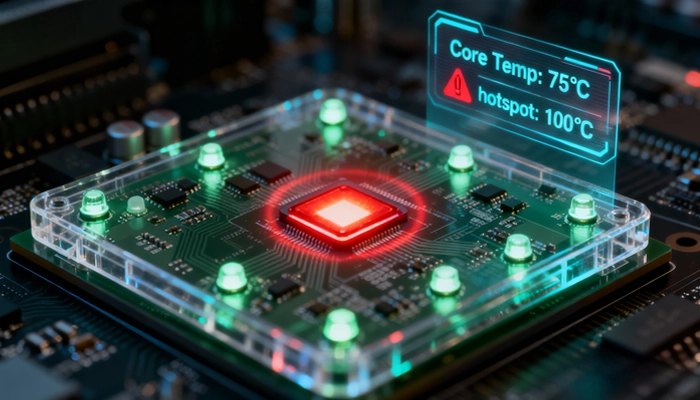
The GPU core contains dozens of temperature sensors spread across the silicon chip. The temperature reported by most software is the "Core" temperature, which is actually the average reading from these sensors. The Hotspot Temperature is the reading from the hottest single point among these sensors, requiring specialized tools to view.
The difference between the Core Temperature and the Hotspot Temperature is an important indicator for assessing the GPU's cooling status. If this differential begins to exceed 15°C, it indicates that the thermal paste may have pumped out or dried up and needs replacement.

For example, if the Core Temperature is 75°C and the Hotspot Temperature is 87°C, everything is normal. However, if the Core Temperature is 75°C and the Hotspot Temperature reaches 100°C, this is a clear sign that the thermal paste on the core needs to be replaced.
gpu temperature

VI. Factors Affecting GPU Temperature

Several factors influence GPU operating temperature:

• Ambient Temperature: The surrounding air temperature directly affects cooling efficiency.
• Case Airflow: Poor ventilation design causes heat buildup.
• Cooling System Design: Includes number of fans, heatsink size, and heat pipe design.
• Workload Type: Gaming, rendering, or AI computation generate different thermal loads.
• GPU Age and Usage: Aging thermal paste and dust accumulation reduce cooling efficiency.

VII. How to Effectively Lower GPU Temperature?

If the GPU experiences throttling, fails to reach its maximum boost clock, or exceeds gpu operating temperature range due to overheating, here are the most effective cooling methods:

• Check GPU Fans: Ensure fans are operating correctly.
• Optimize Case Airflow: Ensure the computer has functioning case fans and sufficient internal air movement.
• Adjust Fan Curves: Tune case fan and/or GPU fan speeds to provide additional cooling.
• Replace Thermal Interface Material: Check if the thermal paste/grease between the GPU and heatsink is still effective.
• Upgrade Cooling System: Consider installing a more efficient aftermarket cooler.
• Undervolting: Appropriately reduce GPU voltage to decrease heat generation.
• Avoid Excessive Overclocking: Overclocking increases heat production.

VIII. Relationship Between Temperature and GPU Lifespan

Although Operating above the GPU temperature range shortens processor lifespan, this does not mean the impact on longevity is necessarily severe. This is because when manufacturers specify the maximum temperature for a GPU, their calculations already include the chip's expected average lifespan. This projected figure almost certainly exceeds the practical usable life of the GPU itself.

Generally speaking, within the normal GPU temperature range, a GPU can operate for approximately 15 years, while under strictly controlled temperatures, this can be extended by 10 years or more. In either case, this far exceeds the practical needs of the GPU's first, second, or even third owner.

IX. How to Maintain Healthy GPU Temperatures?

• Regular Cleaning: Remove dust buildup from the GPU heatsink and fans.
• Monitor Temperatures: Reguemove dust buildup from the GPU heatsintures.
• Optimize Settings: Adjust graphics settings based on actual needs to balance quality and temperature.
• Improve Environment: Ensure the computer is placed in a well-ventilated location, avoiding enclosed spaces.

X. How Canopy Wave Manages GPU Temperature
Environmental Location: Our data centers are strategically located in perennially cold regions such as Iceland and Canada, fully leveraging natural cold sources for efficient, low-carbon GPU cooling.
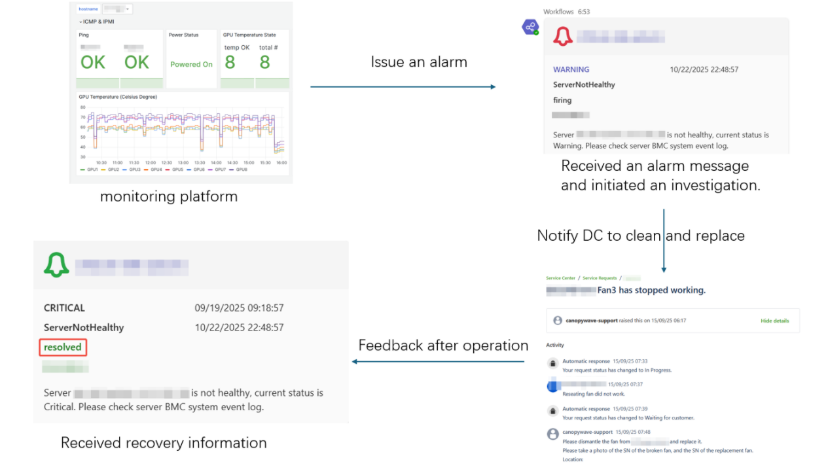
Monitoring and Alerting: Canopy Wave has a self-developed unified monitoring platform capable of tracking GPU temperatures and other key performance indicators in real-time. Once a temperature anomaly is detected, the system automatically generates alerts and pushes them in real-time via email and Microsoft Teams messages to the frontline operations team. Upon receiving notifications, operations personnel will immediately contact the data center to guide on-site execution of targeted maintenance operations, including dust cleaning and fan replacement.
gpu temperature

XI. Summary

GPU temperature range itself is not particularly important unless it has a noticeable impact on GPU performance. As long as your GPU's clock speed does not fall below its base clock, or remains stable at or near its maximum value during operation, there is no need to worry excessively about GPU temperature.

Modern GPUs are designed with robust thermal protection mechanisms that, in the vast majority of cases, protect themselves from permanent damage. The prudent approach is regular temperature monitoring without overreacting to every fluctuation. By understanding and applying these principles of GPU temperature management, you can ensure your GPU operates optimally, whether running AI workloads, gaming, or creating content.

Healthy GPU temperature range are the foundation for extending hardware lifespan and maintaining peak performance.