How to Run the GPT-OSS Locally
on a Canopy Wave VM?
How to Run the GPT-OSS Locally on a Canopy Wave VM?
Table of Contents
How to Run the GPT-OSS Locally on a Canopy Wave VM?
Why Choose GPT-OSS?
1. Powerful yet Lightweight Performance
The 120B version approaches top-tier closed-source model performance, while the 20B runs smoothly on edge devices, covering scenarios from servers to mobile phones.
2. Built-in Agent Capabilities
Native support for function calls, web browsing, Python execution, and structured output (JSON/YAML), enabling agent workflows without extra encapsulation.
3. Enhanced Security and Control
Passes biosafety and adversarial attack tests with 100% rejection rate (e.g., for virus synthesis requests) and includes safety fine-tuning guidelines.
4. Significant Cost Efficiency
Local deployment eliminates API fees; the 120B quantized version runs on consumer-grade GPUs (e.g., RTX 4090).
Why Choose Local Deployment for Large Models?
1. Data Privacy and Compliance
Sensitive data (e.g., healthcare/finance) stays local, meeting strict compliance standards like GDPR/HIPAA.
2. Low Latency and High Availability
Local inference latency drops to 320ms (20B model), offering real-time interaction superior to cloud APIs.
3. Customization and Long-Term Cost Control
Supports fine-tuning for vertical domains (e.g., industry terminology), avoids vendor lock-in, and enables hardware reuse.
Who is GPT-OSS For?
• Developers: Free local alternative to GPT-4-level models with full-stack agent development support.
• Privacy-Sensitive Industries (Healthcare/Finance): Ensures data remains local and compliant with regulations.
• Budget-Constrained Teams: Deploy a 120B model on a single GPU, slashing API costs that can run into millions.
• Educators/Researchers: Apache 2.0 license enables open development and experimental auditing.
Create a virtual machine using the Canopy Wave Cloud Platform.
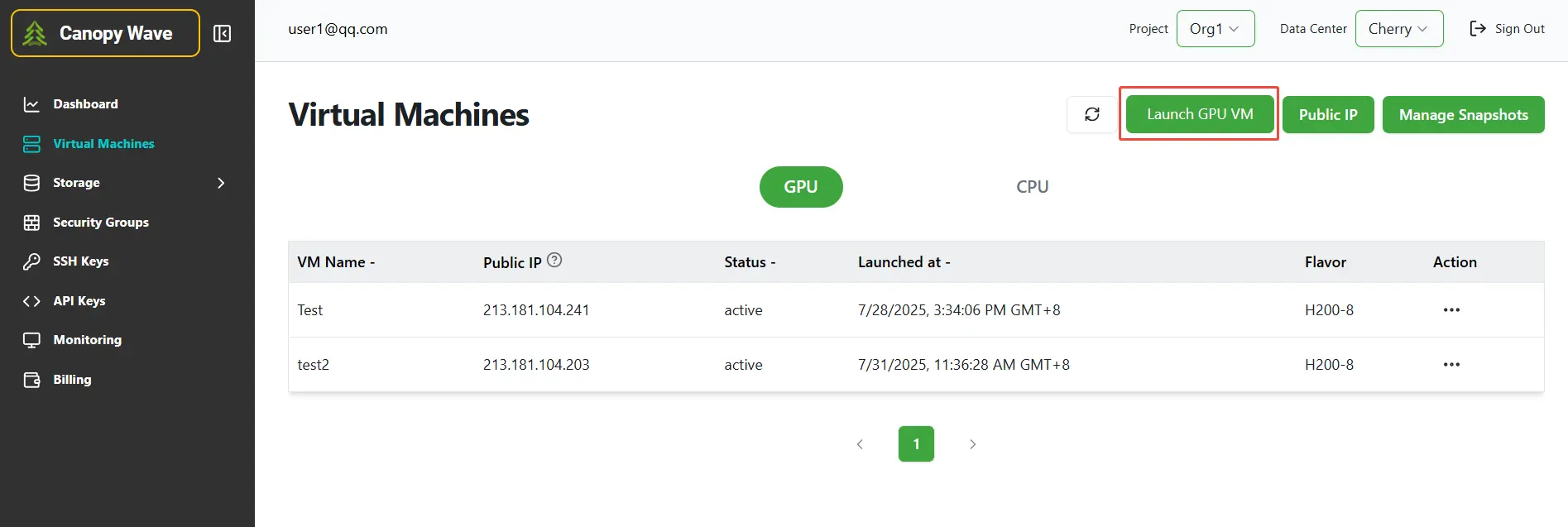
Step 1: Click the button "Launch GPU VM" to create a virtual machine.
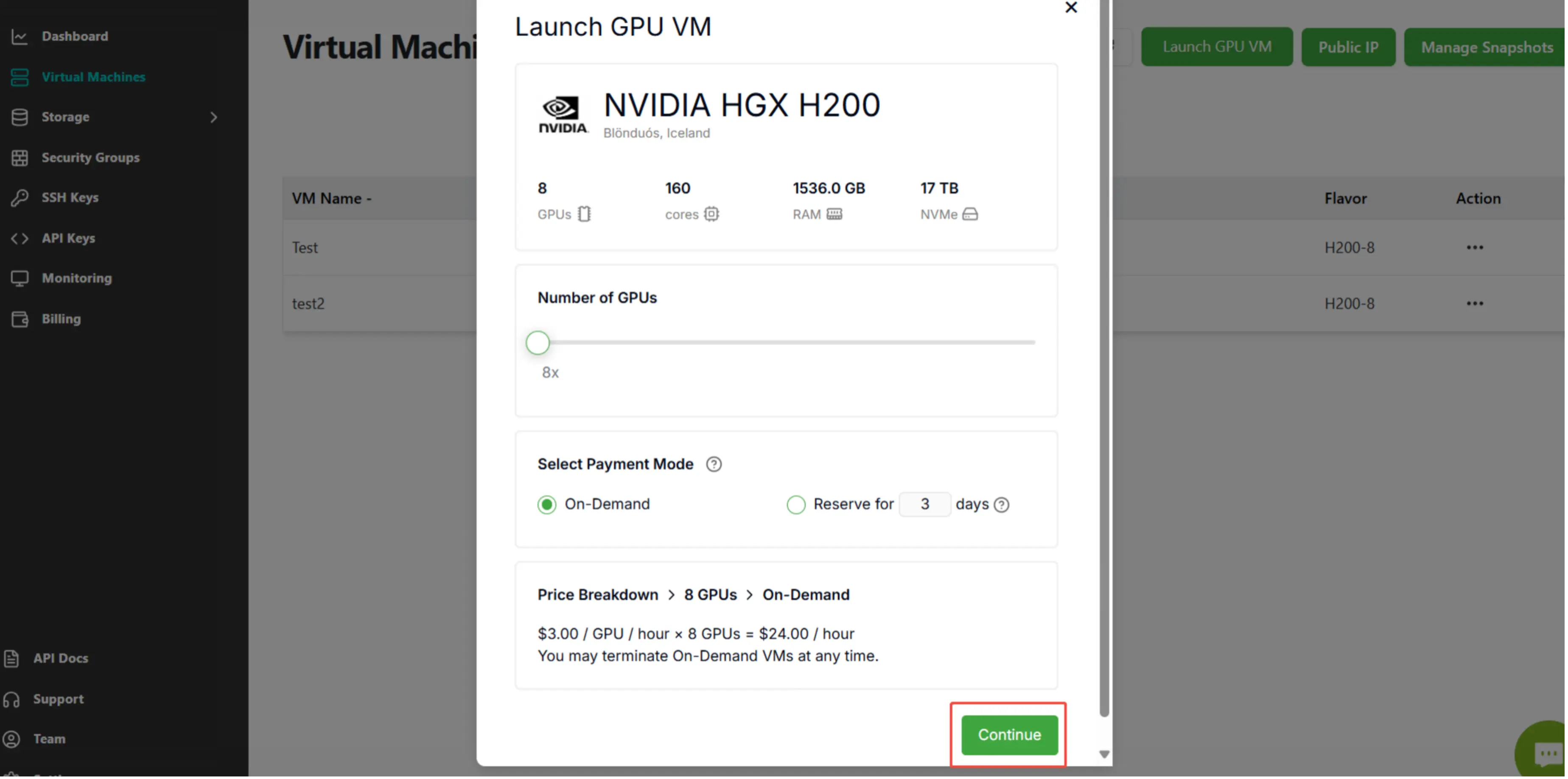
Step 2: Click the button "Continue".
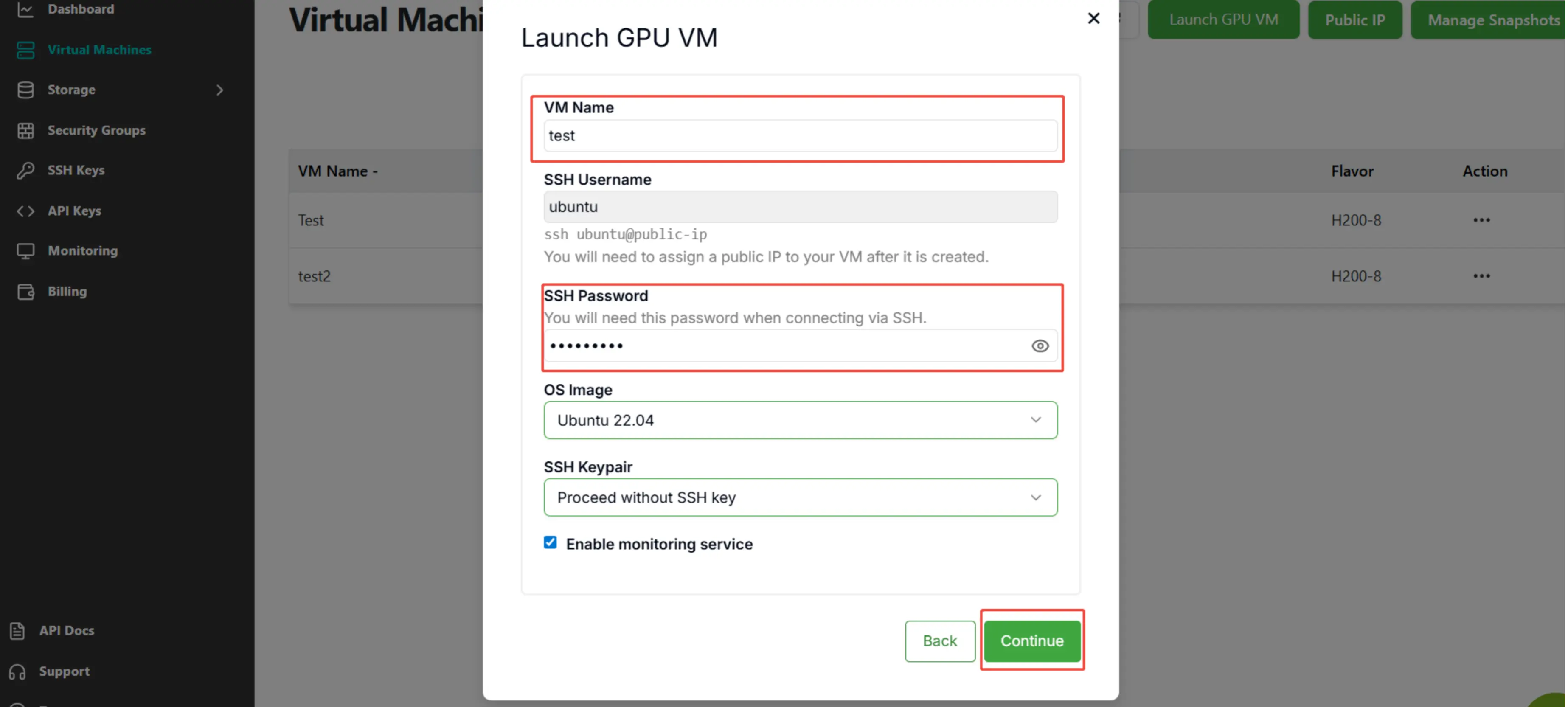
Step 3: Enter "VM Name" and "SSH Password", then click the button "Continue".
Deploying GPT-OSS Locally
1.Using SSH to Access the Virtual Machine
Press the Win+R shortcut keys to open the Run dialog.
In the Run dialog, Enter:
SSH username@IP
Then enter your SSH password to access the virtual machine. Note that the password won‘t be displayed as you type it.
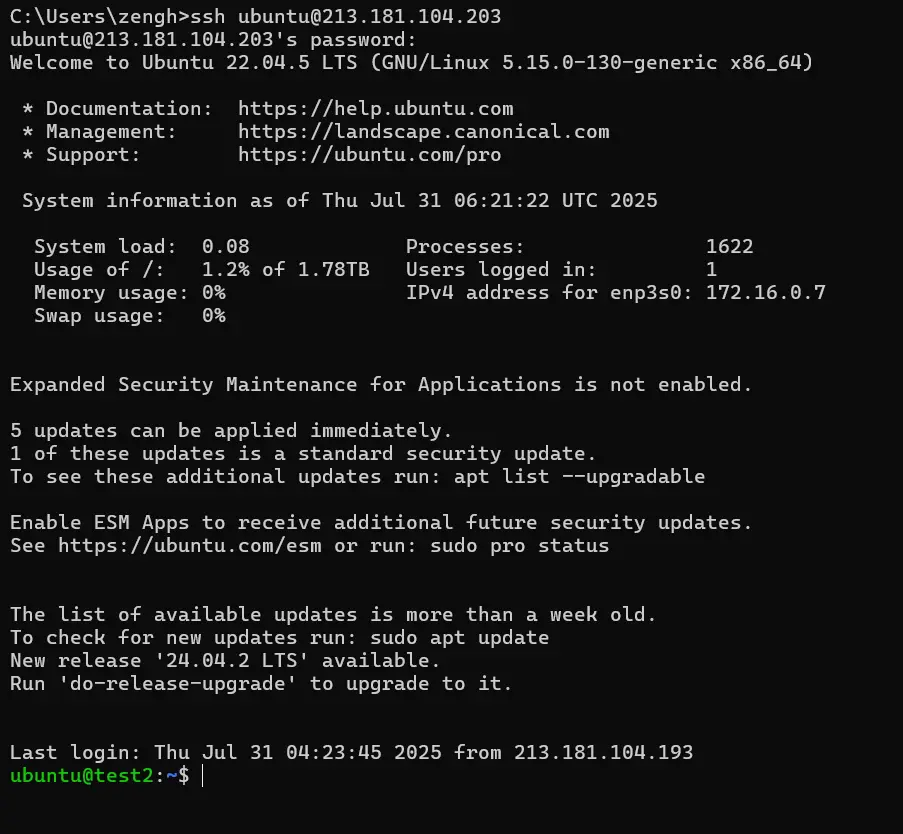
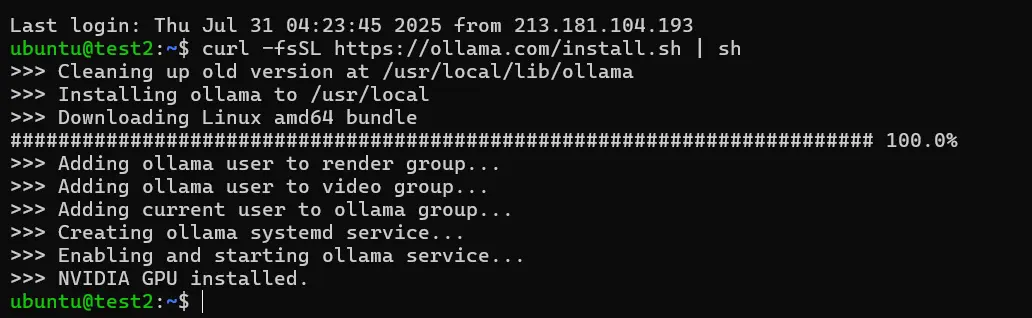
2. Download the Ollama platform to run the large language model
curl -fsSL https://ollama.com/install.sh | sh
3. Download and run GPT-OSS
Copy the gpt model and run it.
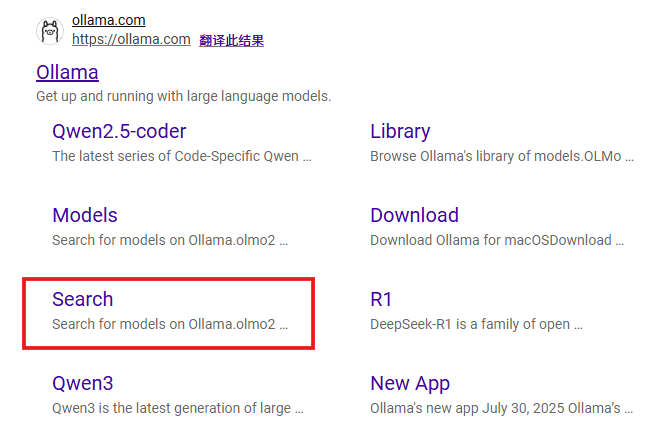
Enter any large model you want to deploy here, e.g. GPT-OSS.
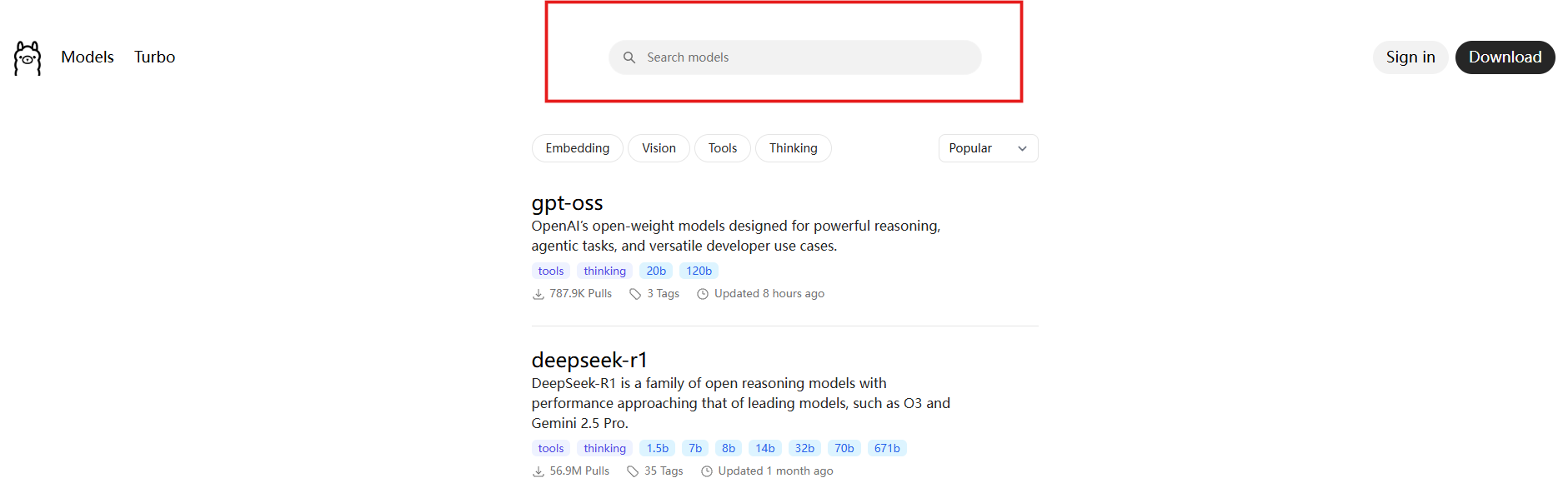
Copy the corresponding command.
ollama run gpt-oss
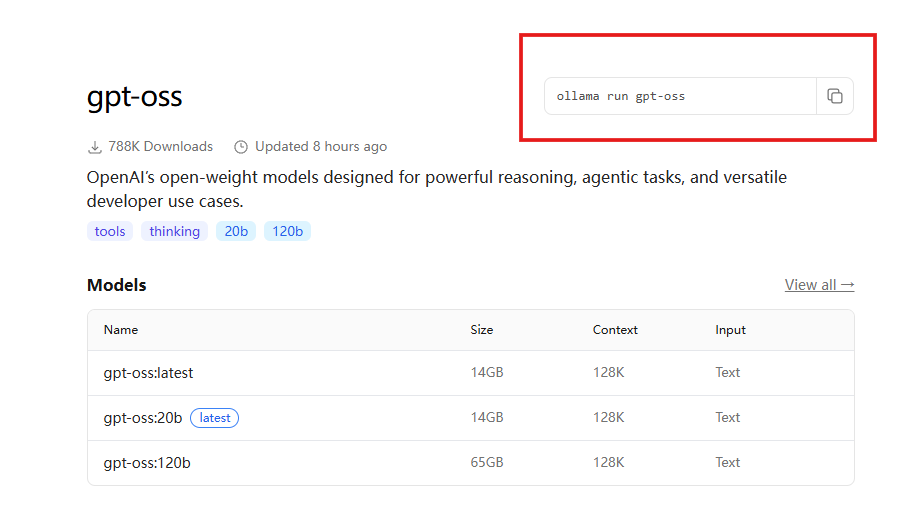
Enter the command.

You can now interact with your local large language model.
Share