

Part I: Claiming Your Free Trial
1. Create an account
First, register an account using your email address.
2. Login to the Cloud Platform page
Dashboard → Model API → AI Models
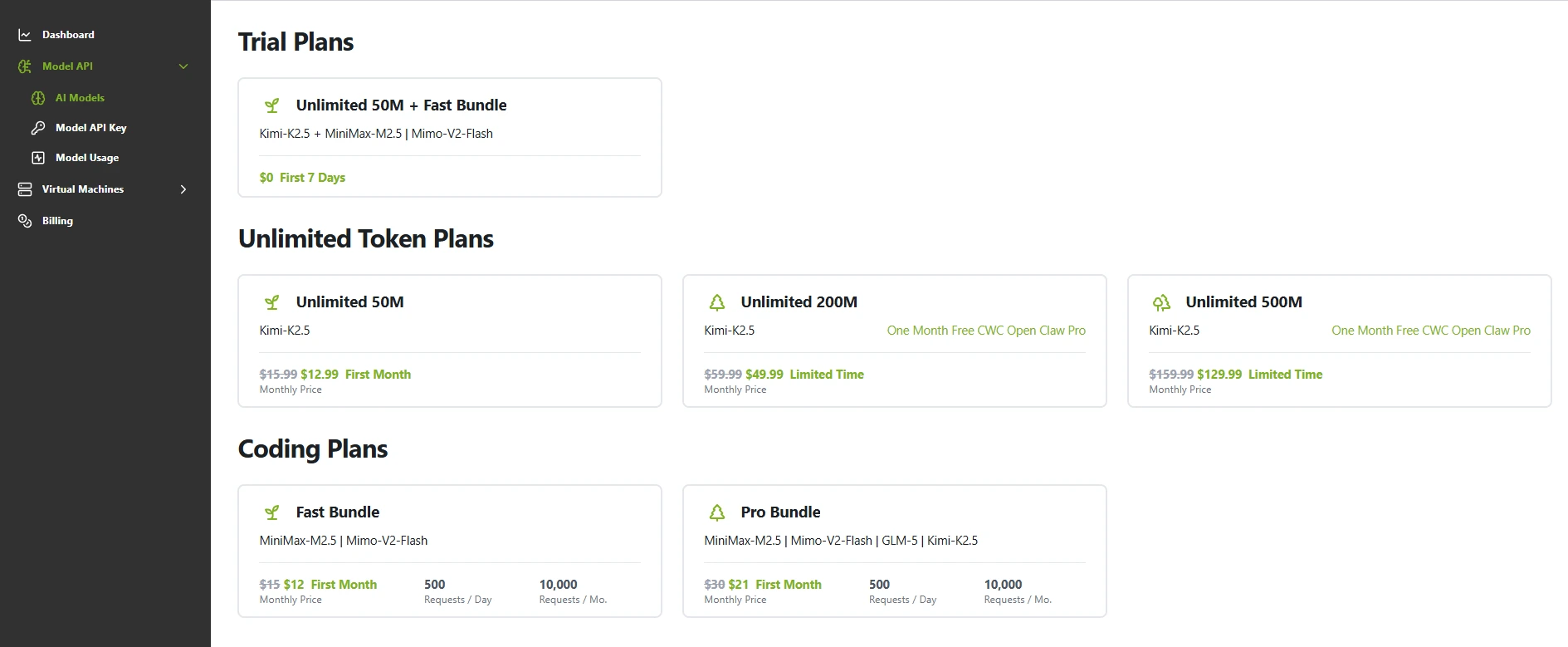
3. Claiming Your Free Trial
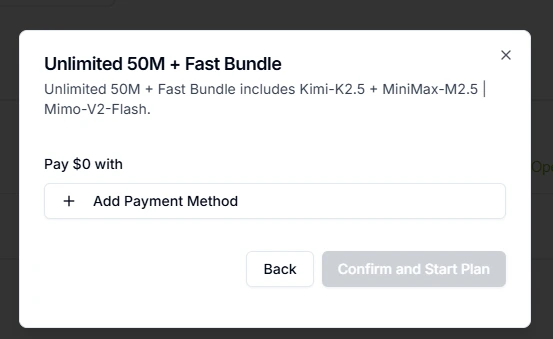
- Click "Trial Plans" and link a credit card. Currently, the only supported payment method is credit card. Here are the steps:Select a plan → Link a credit card → Enter your card information → Confirm payment.
- Please check the box to agree to our terms and conditions. After the seven-day free trial expires, we will charge the applicable fee.
- Complete and start the trial
Part II: Managing Subscription Plans
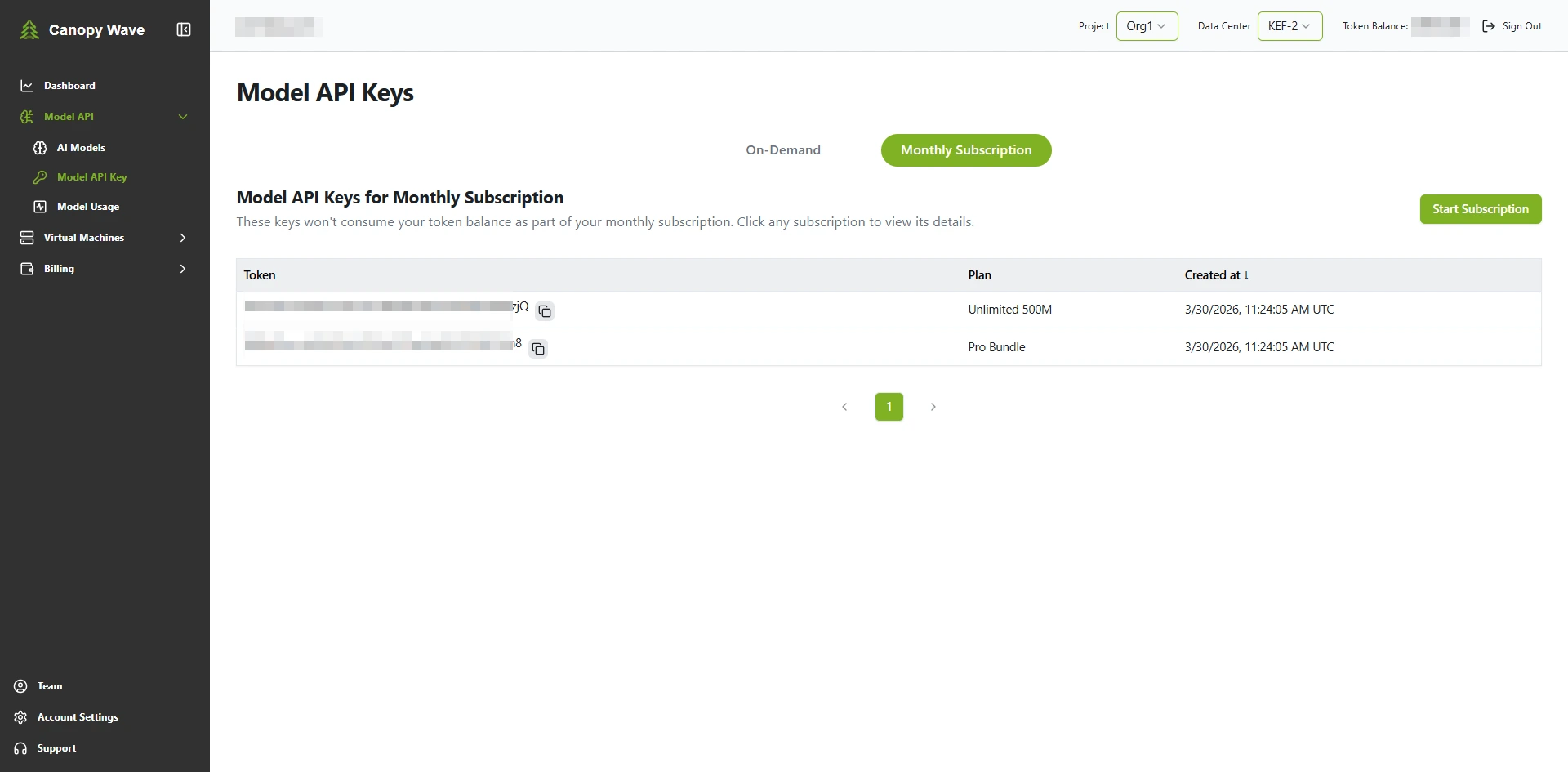
You can manage your subscription plans under Model API → Model API Key → Monthly Subscription. Here, you can view the API key and creation date for each subscription plan. Click the row corresponding to the API key to access the plan details page, which displays your remaining quota. You can cancel your subscription at any time from this page.
Part III: Canceling a Subscription Plan
You may cancel anytime during the 7-day trial period. No charges will be incurred if cancelled before the trial ends. If not cancelled before the trial expires, your subscription will automatically convert to the corresponding paid plan billed at the first-purchase discount rate.
1. Go to the Management Page
Follow the path in Section 2 to access the Plan Management interface
2. Select the plan you want to cancel
Click the corresponding plan's API Key to view the plan details
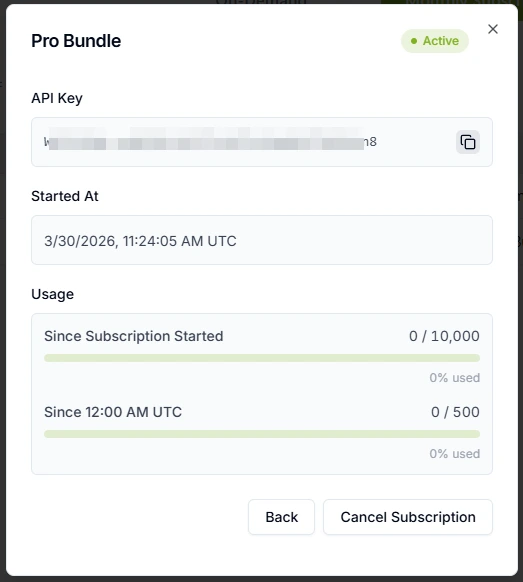
Notice:You need to cancel Coding Plan Fast and Unlimited Token Plan 50M separately.
3. Confirm Cancel
Click "Unsubscribe" in the bottom-right corner to cancel your current plan. You will not be charged anything after the free trial period ends.