

1. Create a CPU VM
Step 1: Navigate to Cloud Platform -> Virtual Machines -> VM Table.
Select KEF-3 as the Data Center in the top-right corner, then choose to create a CPU server and select the CPU VM specifications that suit your needs.
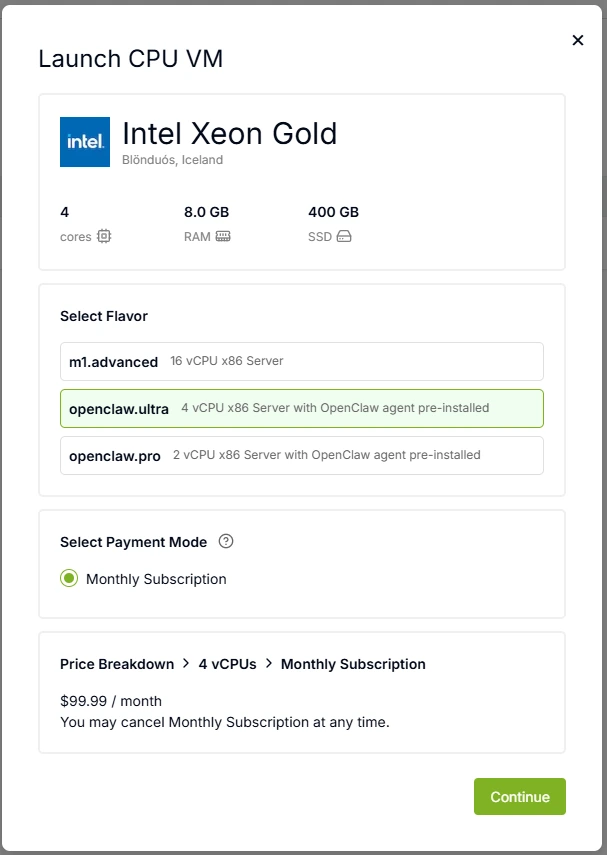
Step 2: Set the virtual machine name and password, then enter your Canopy Wave API Key. The system will automatically connect to our Kimi K2.5 model when creating the VM. You may also skip entering the API Key and configure your preferred model later.
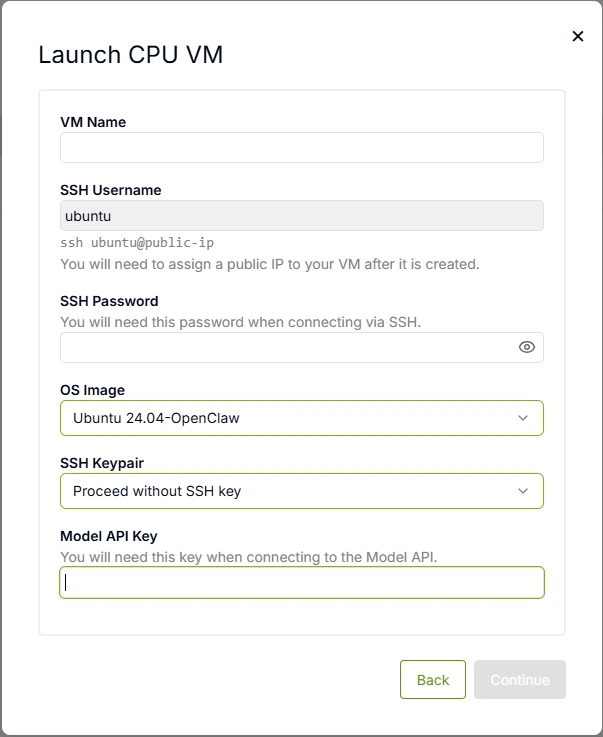
After the VM is created, you need to allocate an IP address. Each instance can be assigned one Public IP address. Once allocated, connect to the VM using:
ssh ubuntu@your-ip-address
2. Configure Your Channels
After connecting to the VM, use openclaw tui to verify that the model connection is successful.
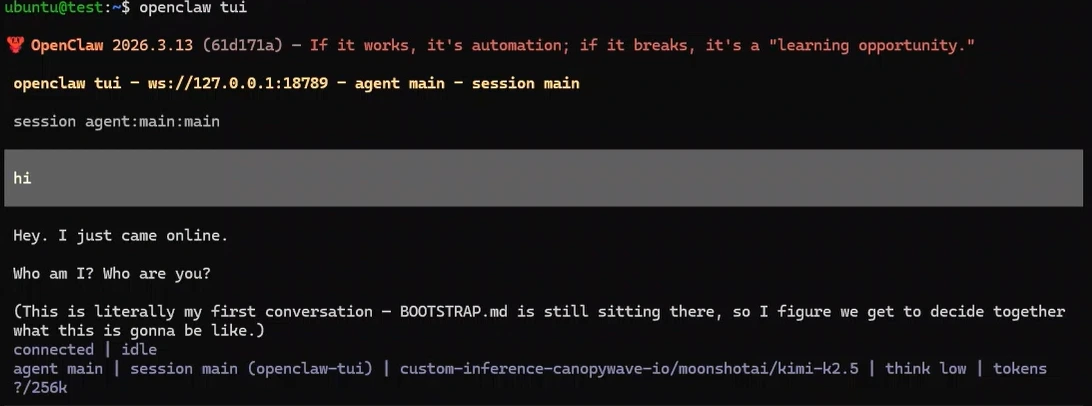
Then use openclaw channels add to add the channels you want to connect to. Configure your bot's token and permissions, and you can start interacting with them.
3. Public HTTPS Access Configuration
To enable secure public access to your Gateway, follow these authentication steps:
Step 1: Obtain Your Gateway Token
Access the OpenClaw Dashboard to retrieve your authentication token:
openclaw dashboard
Navigate to the Gateway section and copy your personal access token.
Step 2: Authenticate via Web Interface
Visit your Gateway's public address:
https://<your-public-ip>:18789
Enter your token in the authentication field to access the Gateway management interface.
Step 3: Approve Device Requests
When a new device attempts to connect, you must explicitly approve it:
1. List pending device requests:
openclaw devices list
- Look for devices with status pending and note the request_id.
2. Approve the specific device:
openclaw devices approve <request_id>
- Replace <request_id> with the actual ID from the list above.
4. Security Best Practices
| Risk | Mitigation |
|---|---|
| Token Theft | Store your API key and Gateway Token in a secure vault (e.g., password manager). Never commit them to Git repositories. |
| Unauthorized Access | Only approve request_ids from known, trusted devices. Verify the device fingerprint before approval. |
| Man-in-the-Middle | Ensure HTTPS (port 18789) is enforced. Do not use HTTP for public access. |