

Introduction
Dify is an open-source large-model application development platform that empowers developers and enterprises to rapidly transform various large language models into usable AI applications. It integrates prompt management, knowledge bases (RAG), workflow orchestration, and API service capabilities, supporting multi-model integration and private deployment. Integrating Canopy Wave with Dify significantly reduces the development and operational costs of AI applications, accelerating the implementation of large models in real-world business scenarios.
How to Integrate Canopy Wave with Dify?
• Download the Canopy Wave plugin and configure it
- 1. Log in to your Dify account.
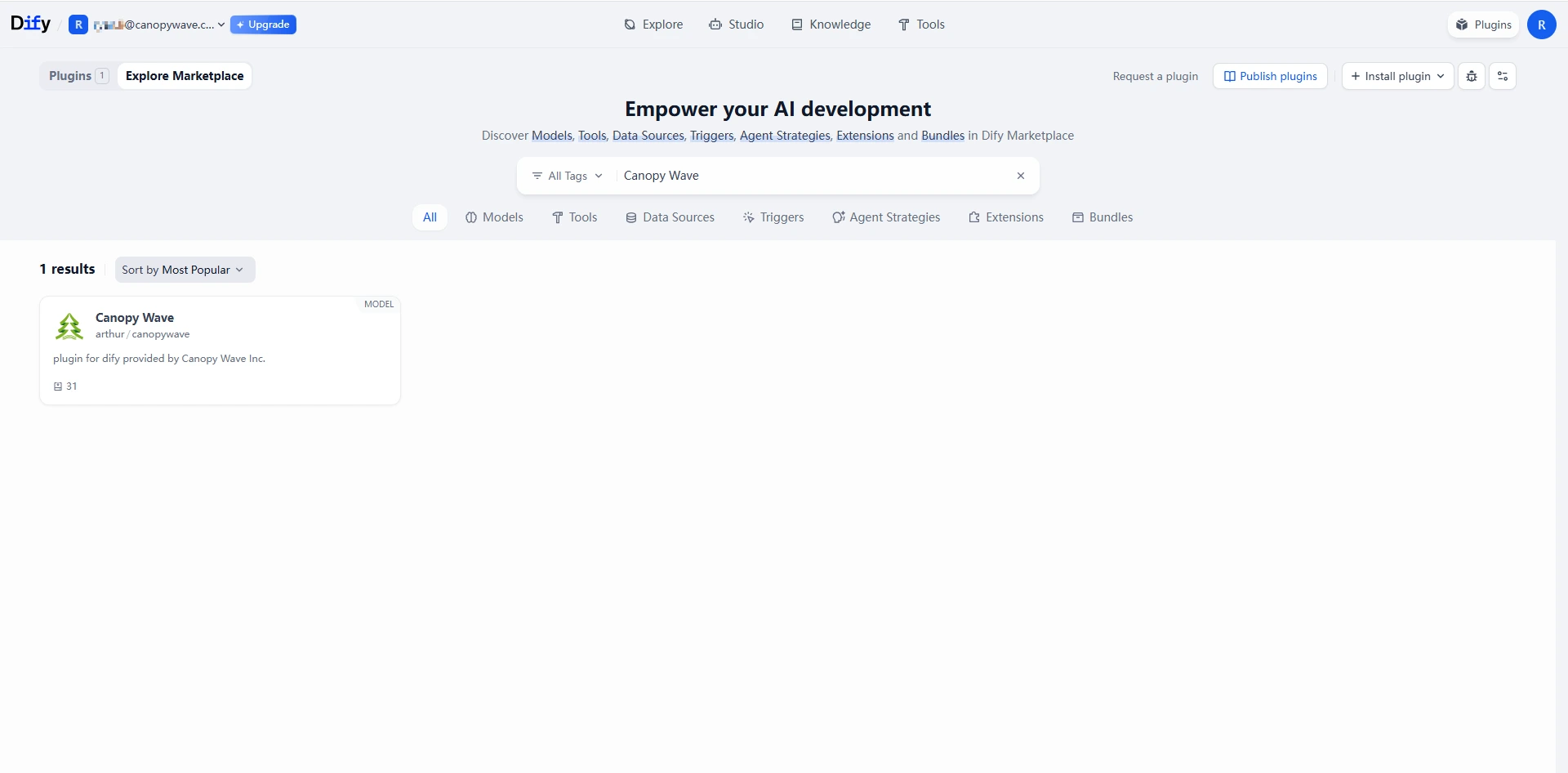
- 2. Click the “Plugins” button in the top-right corner.
- 3. Search for the Canopy Wave plugin in the Marketplace, then download and install it.
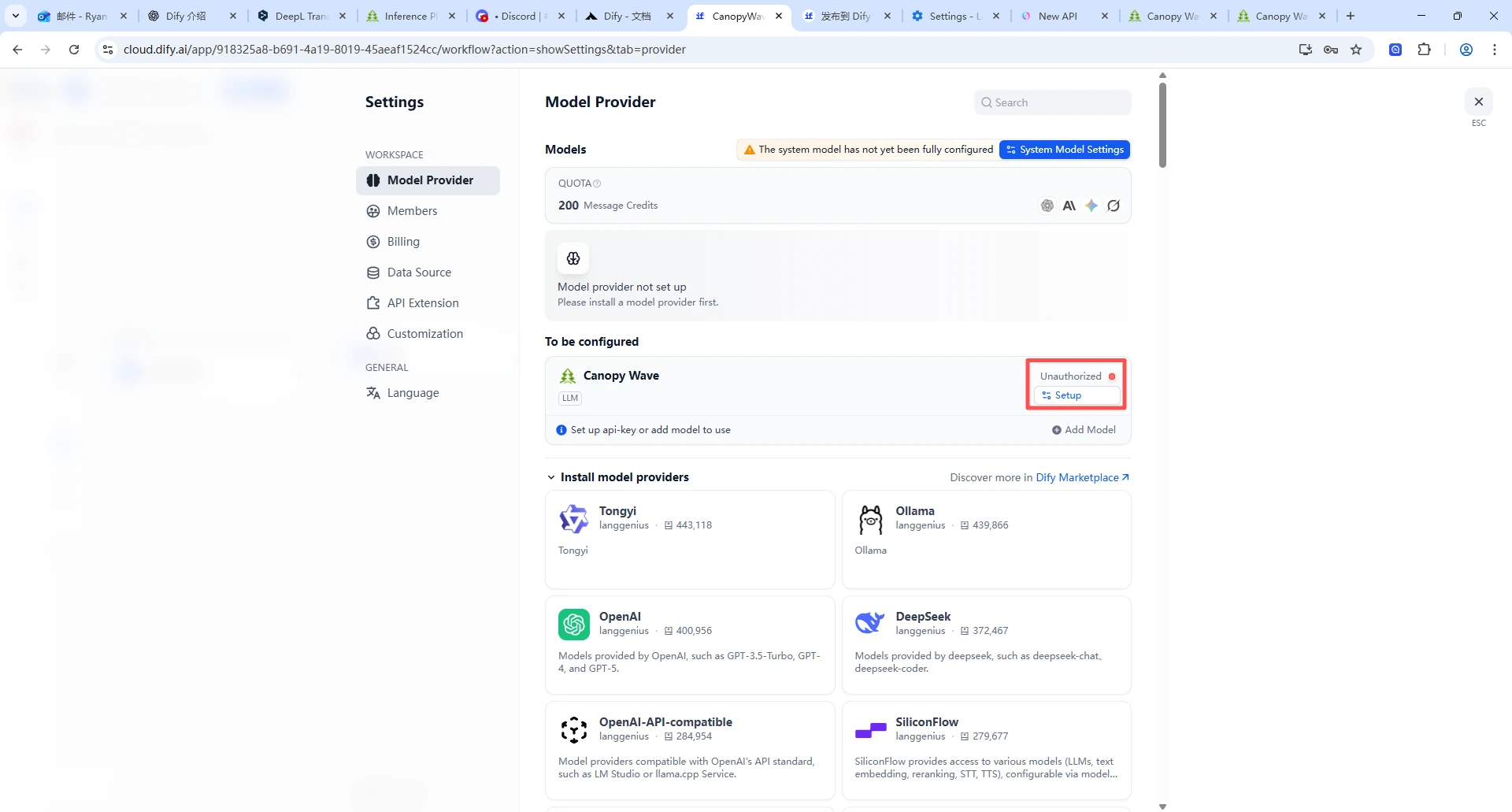
- 4. Tap the profile icon in the top-right corner to access settings
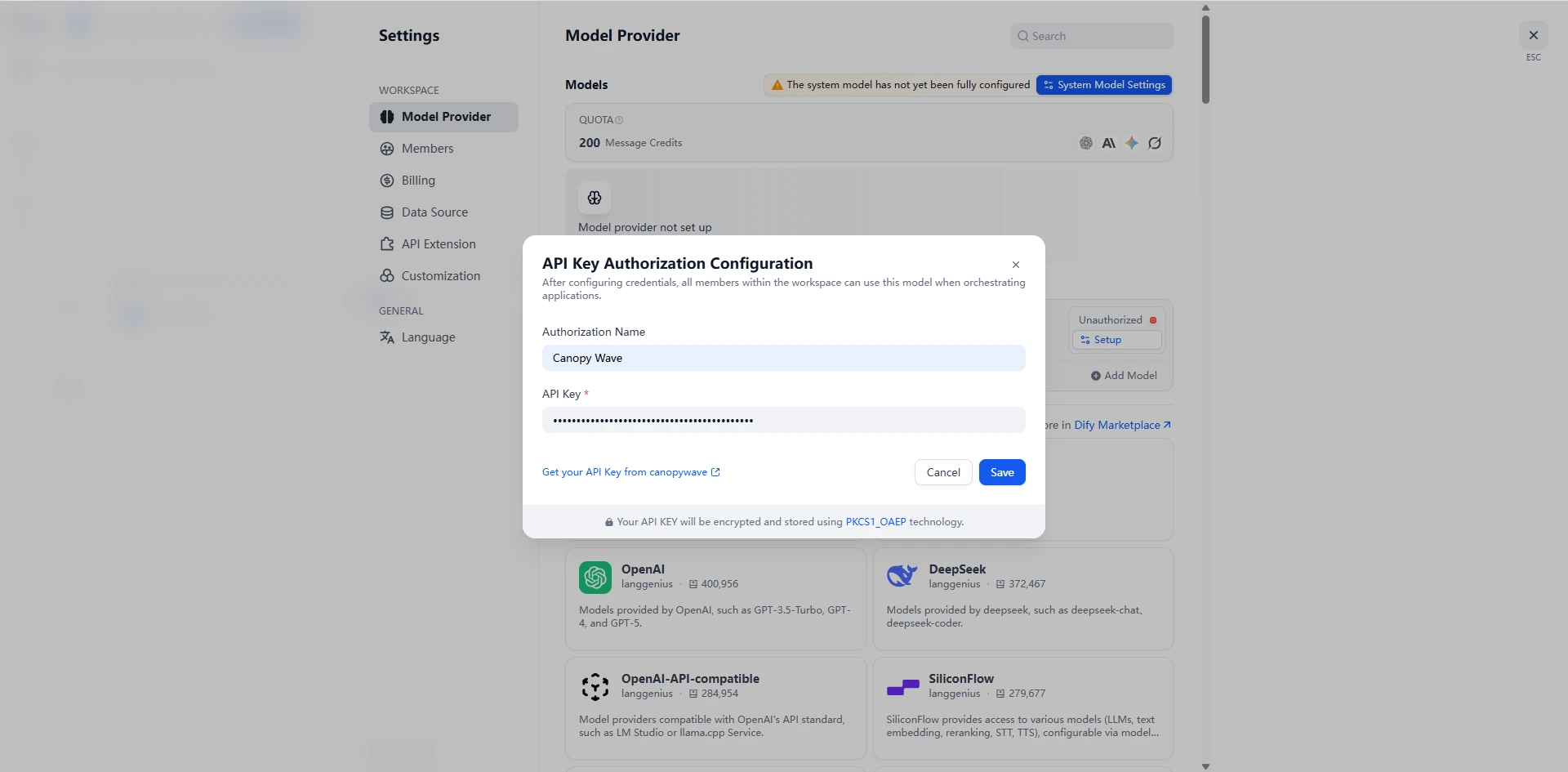
- 5. Configure the Canopy Wave plugin on the Model Providers page
- 6. Paste your API KEY into the corresponding field and click Save.
- After completing the above steps, you can access the various open-source large models provided by Canopy Wave within Dify.
• Create a simple chat flow
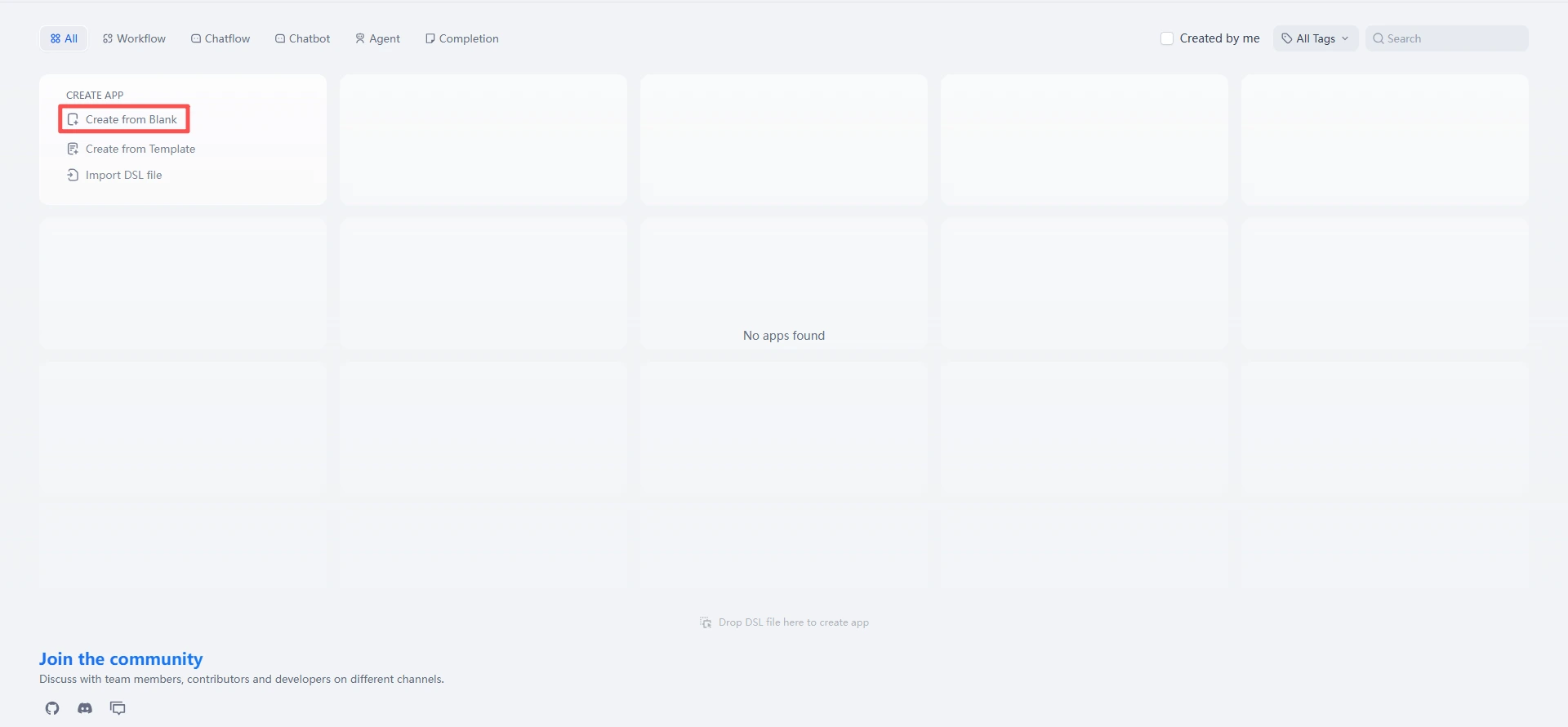
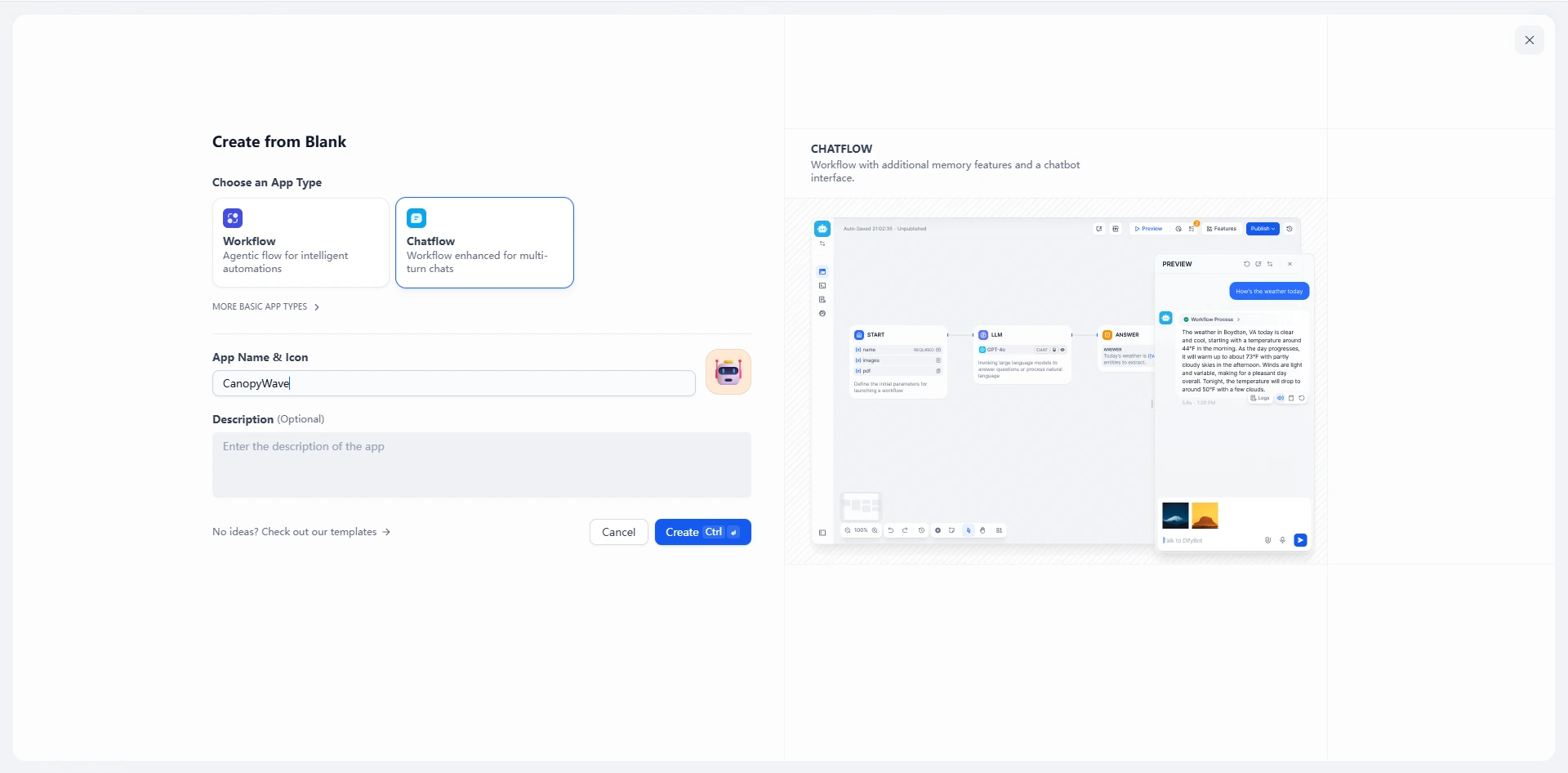
- 1. In the studio, select Create from Blank.
- 2. Select Chatflow, then customize the name and description..
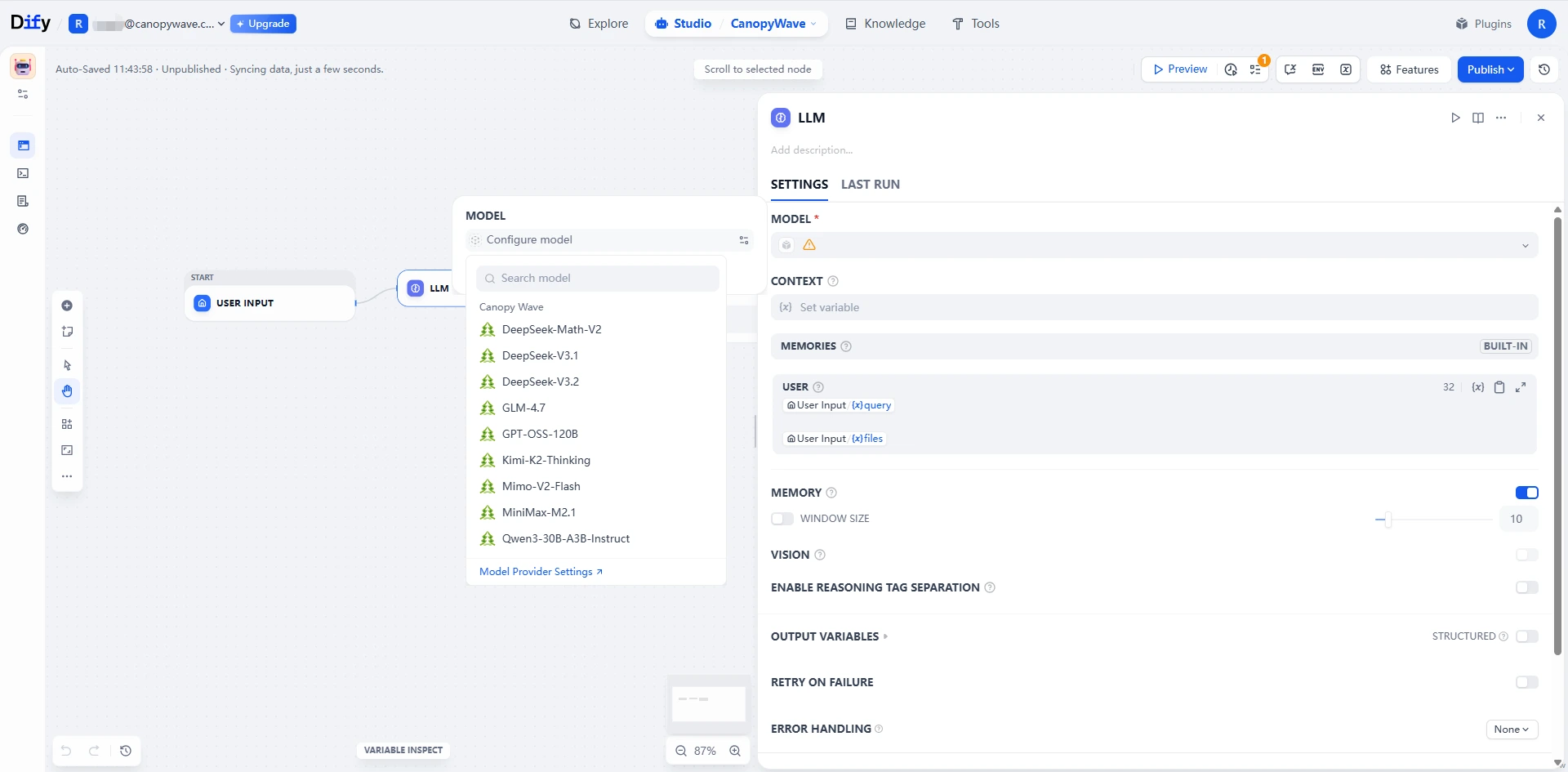
- 3. Select LLM, configure model.
- 4. You can configure the desired workflow based on your actual circumstances.
• Enhanced Text Analysis Capabilities Through Knowledge Base Integration
After integrating a knowledge base, artificial intelligence can perform enhanced text analysis based on real business data and domain expertise. Combined with Retrieval-Augmented Generation (RAG) technology, this enables precise comprehension and reasoning of critical information, significantly improving the reliability and business relevance of analytical outcomes.
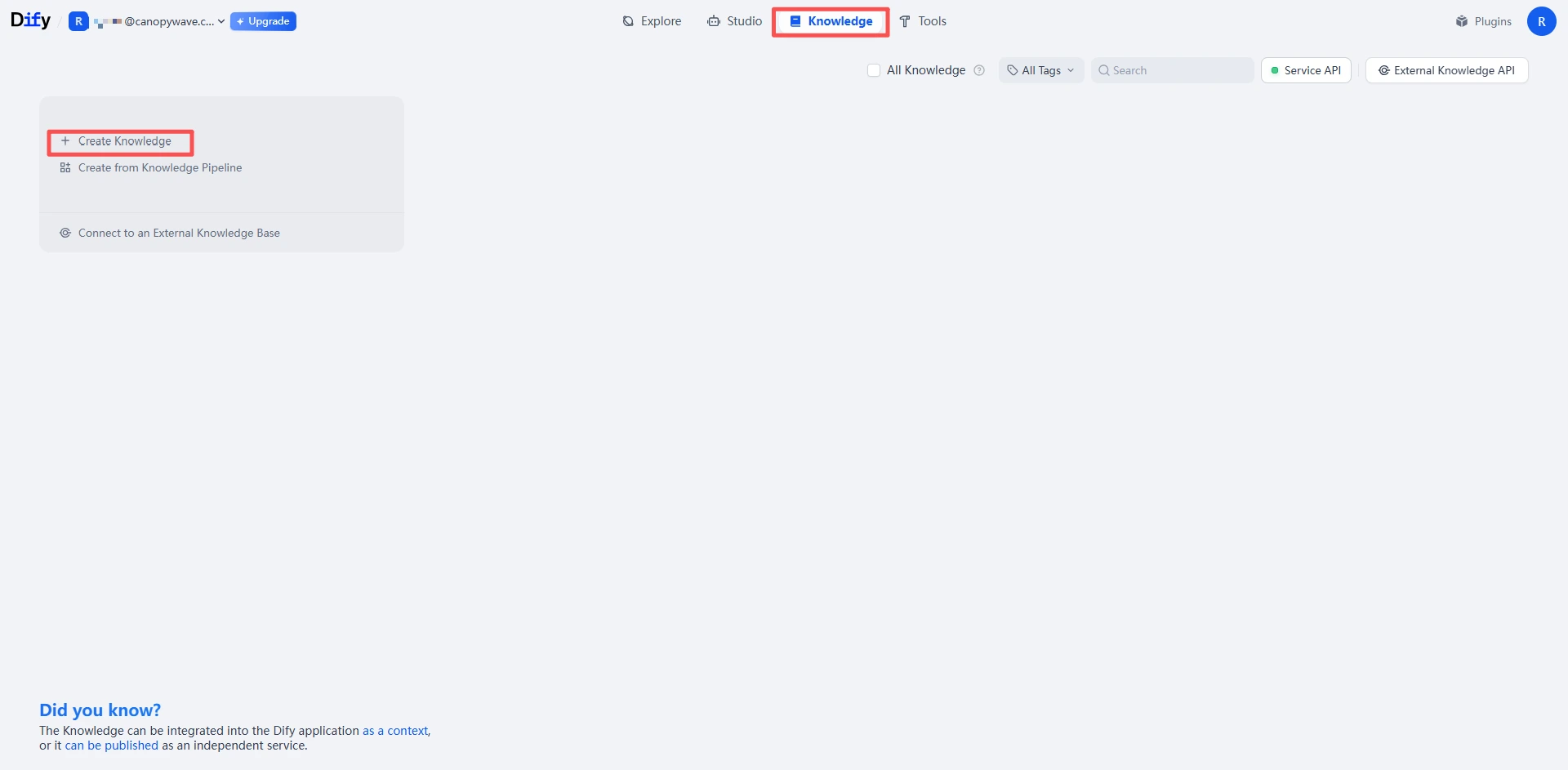
- 1. Create a Knowledge Base.
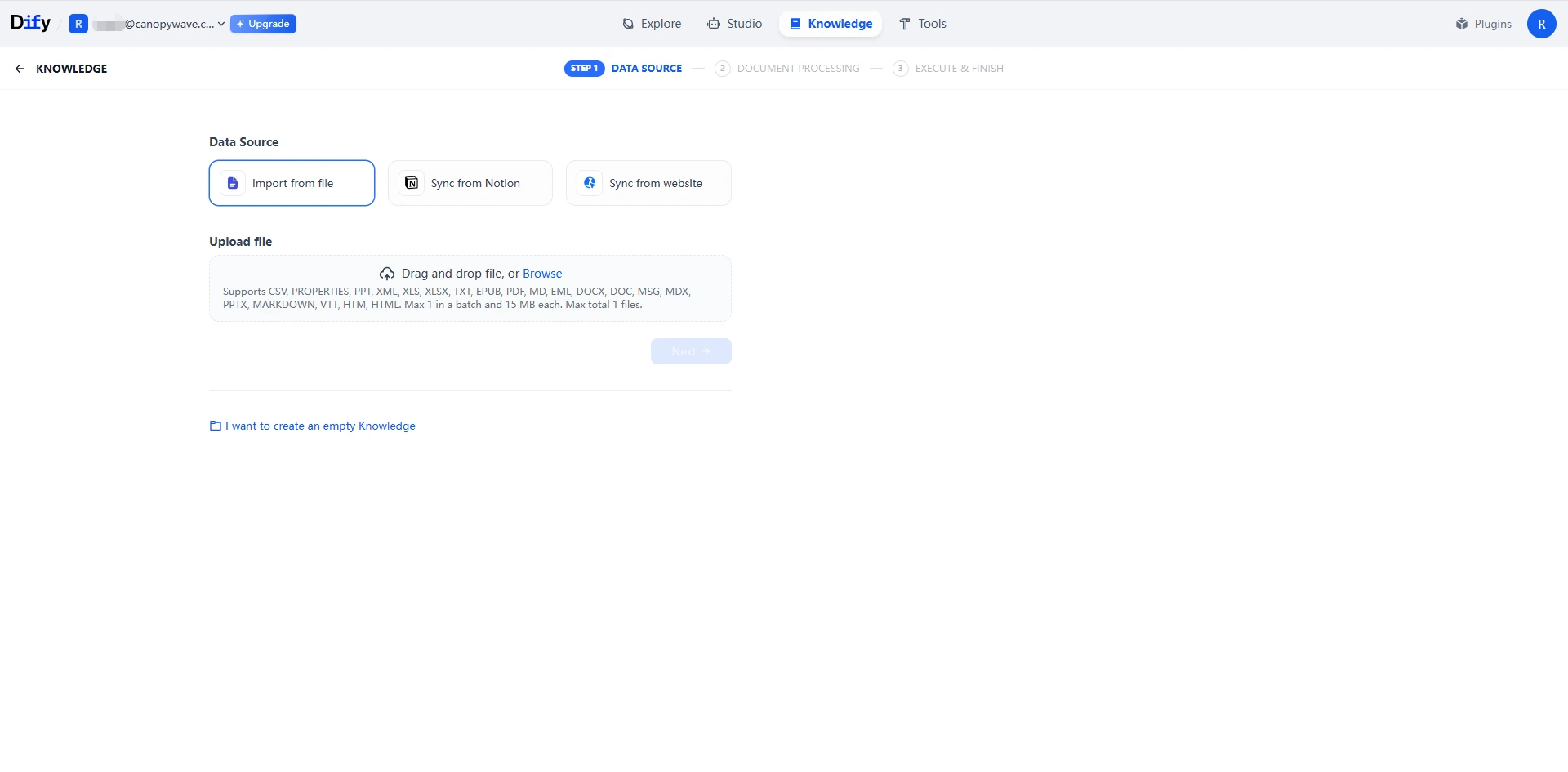
- 2. Upload the knowledge base file.
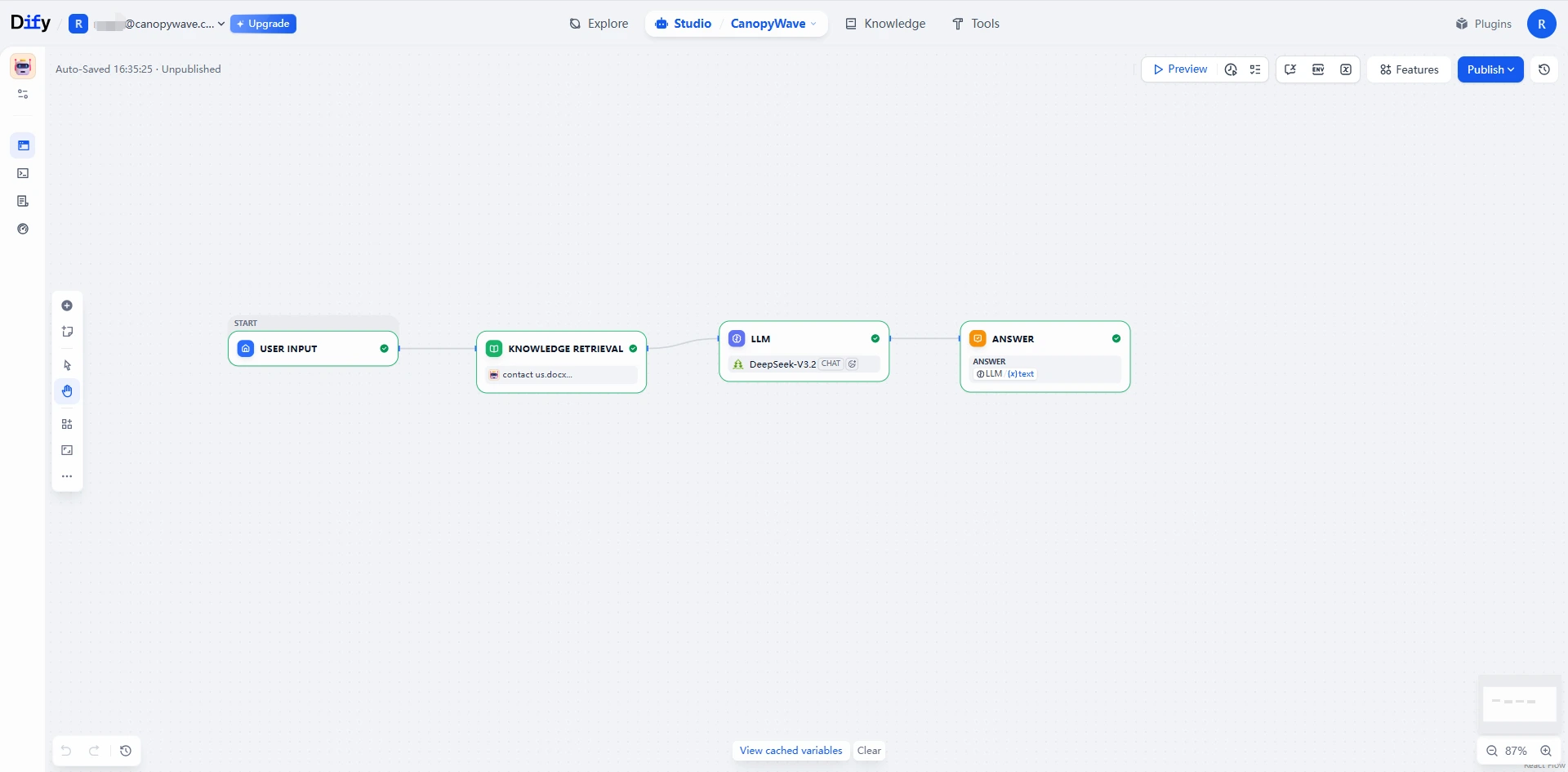
- 3. Set up the process to have the model retrieve information from the knowledge base first.
More Features
Agent Intelligence and Tool Integration:
- Supports defining smarter “Agents”
- Integrates with off-the-shelf or custom plugins to extend functionality
LLMOps and Monitoring
- Records application logs, performance, and usage
- Assists in optimizing prompt and model selection