

DeepSeek Harness is an open-source agent framework designed to help developers build AI agents that can write code, use tools, and handle multi-step tasks.
While DeepSeek Harness manages agent workflows, developers still need a reliable inference API to power the underlying models.
In this guide, we'll show you how to connect Canopy Wave's open-weight models to DeepSeek Harness using an OpenAI-compatible API, without having to manage your own inference infrastructure.
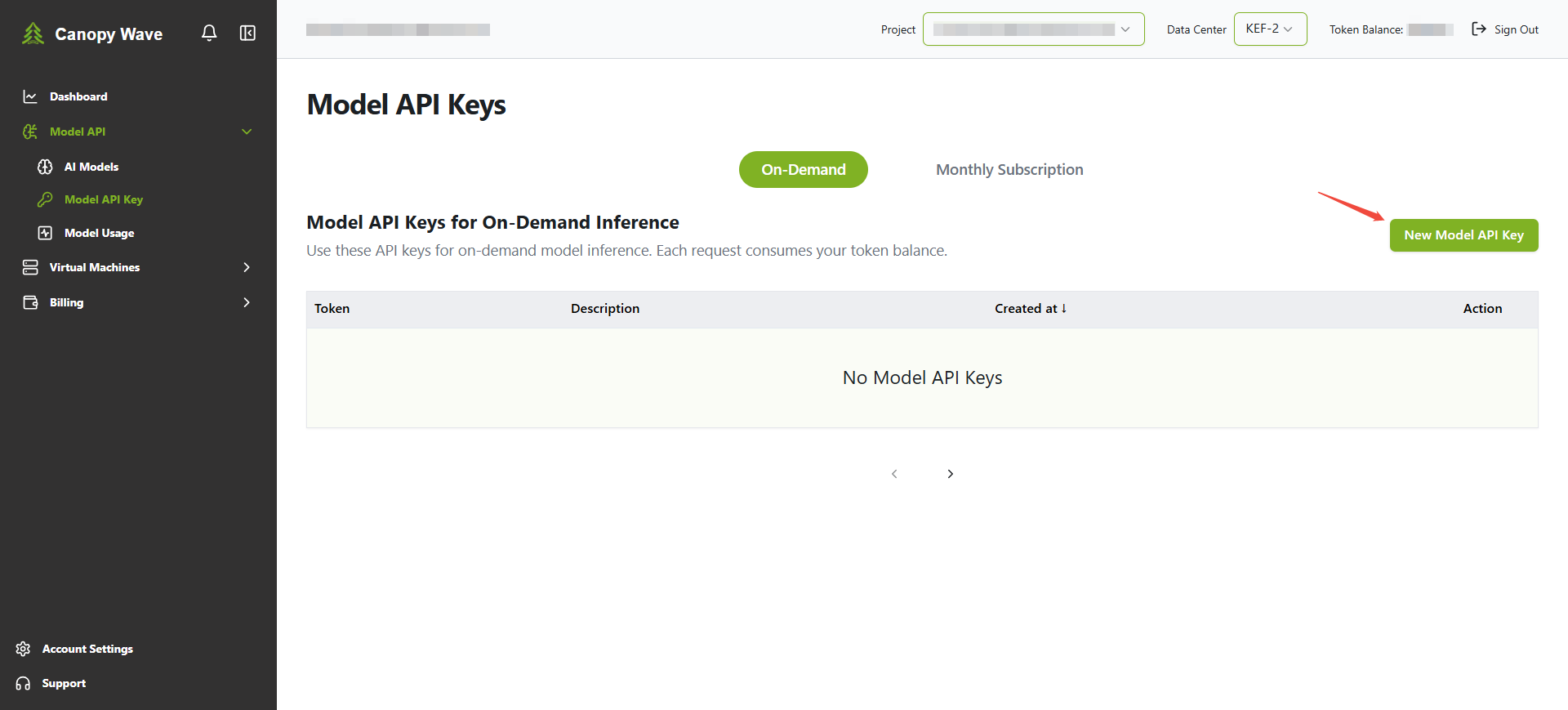
Step 1: Get Your Canopy Wave API Key
- Visit Canopy Wave and sign in or create an account.
- Go to API Key Management and create a new API key.
- Copy your API key. You'll need it for the next step.
Step 2: Configure Canopy Wave as a Model Provider in DeepSeek Harness
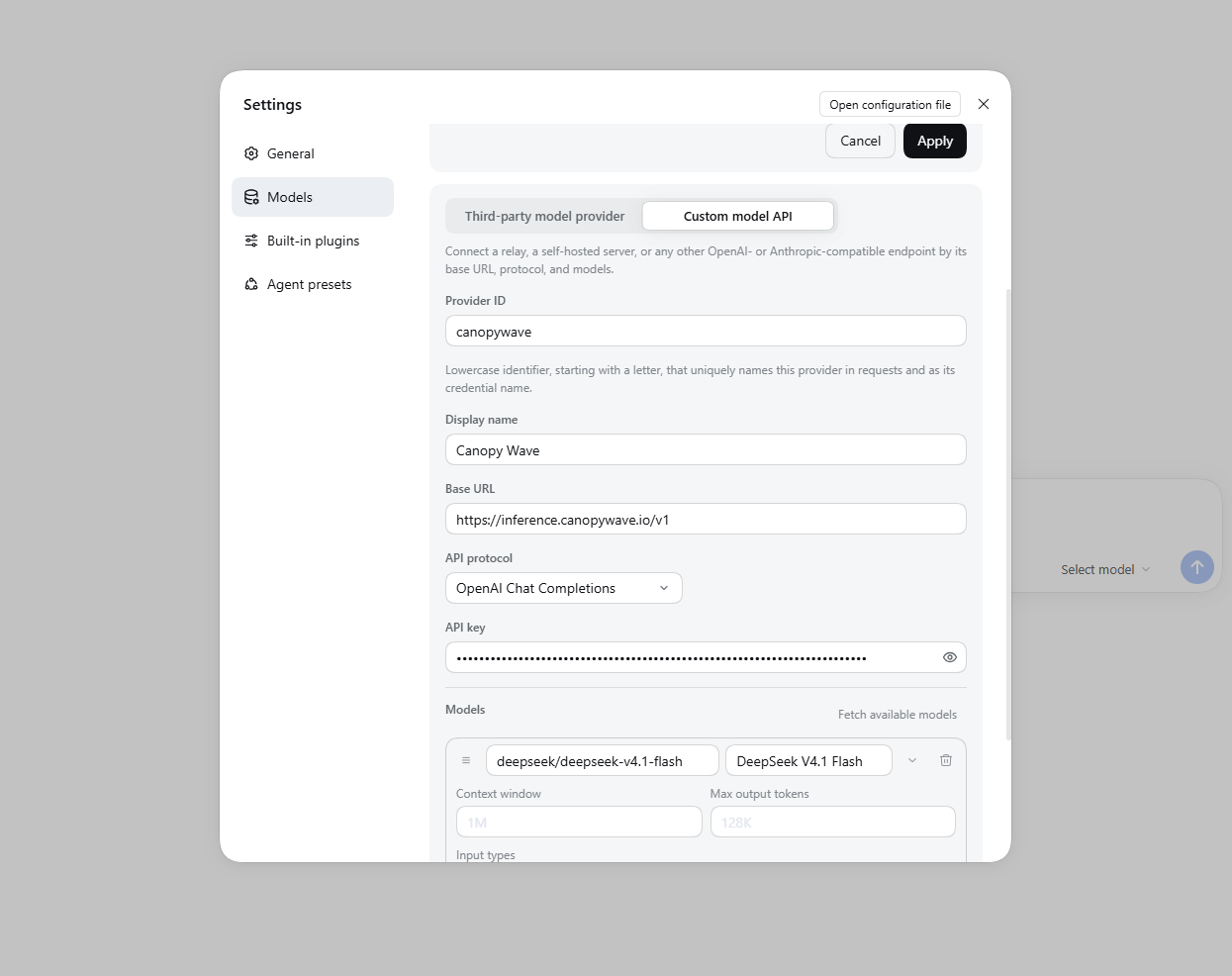
- Open Settings → Models in DeepSeek Harness.
- Click Add model provider.
- Select Custom model API.
- Enter the following configuration:
Step 3: Start Using Canopy Wave Models
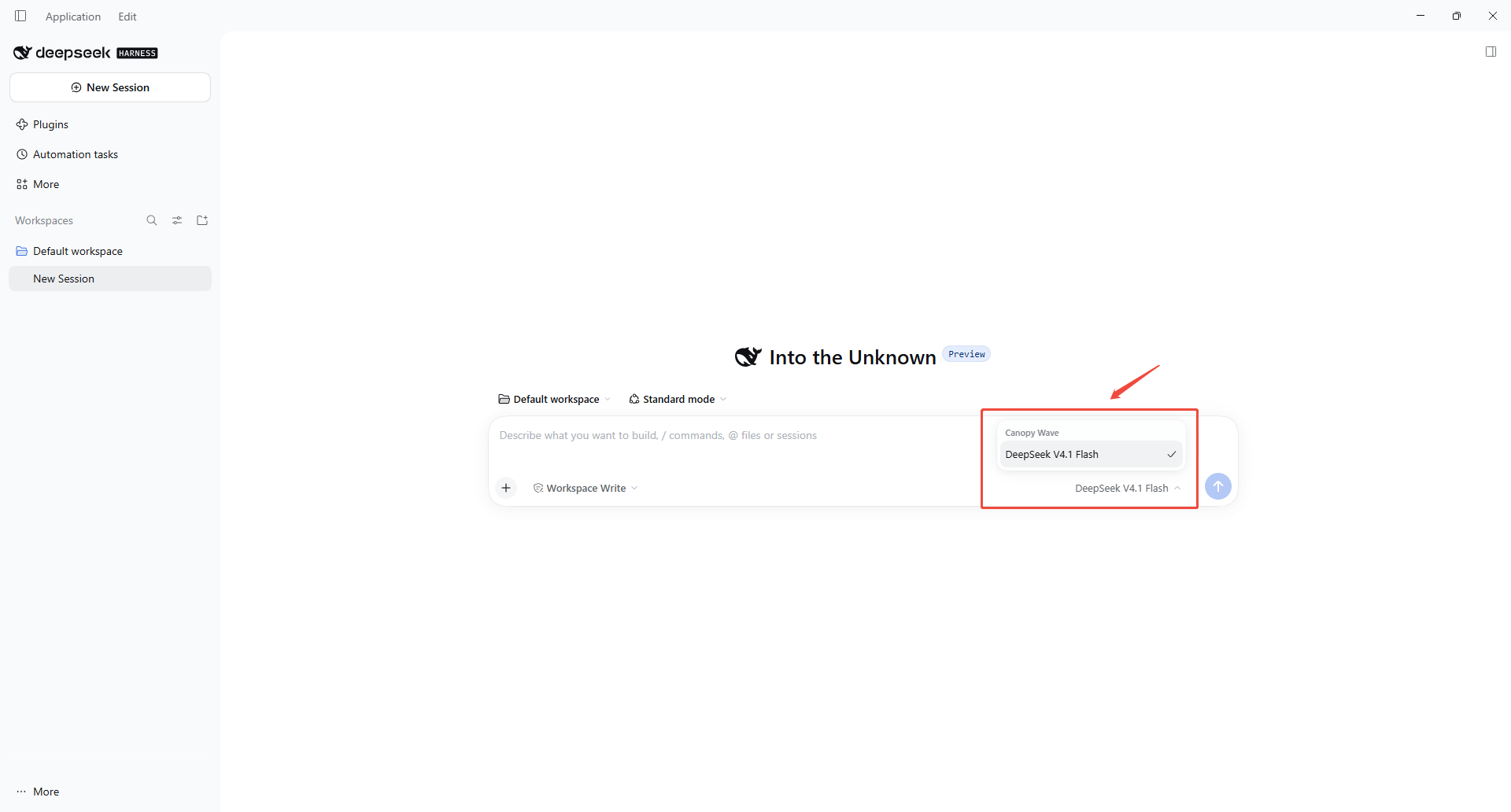
- Return to the DeepSeek Harness main interface.
- Open the model picker.
- Find Canopy Wave and select the model you just configured.
Start Building with Canopy Wave
With DeepSeek Harness and Canopy Wave, you can explore AI agent workflows using open-weight models without managing your own inference infrastructure.
Ready to get started?
Explore more models and API integrations in the Canopy Wave Documentation.