

Introduction
Cline is an AI programming assistant running within VS Code that understands natural language requests, automatically navigates and modifies code repositories, executes terminal commands, debug issues, and continuously iterates to end-to-end complete real software development and maintenance tasks.
Requirements
VS Code based IDE installed
An Canopy Wave API key
Setup
Cline provides support for OpenAI-compatible APIs, enabling seamless integration with the Canopy Wave platform for rapid deployment and utilization.
Install Cline Extension
- 1. Please open VS Code
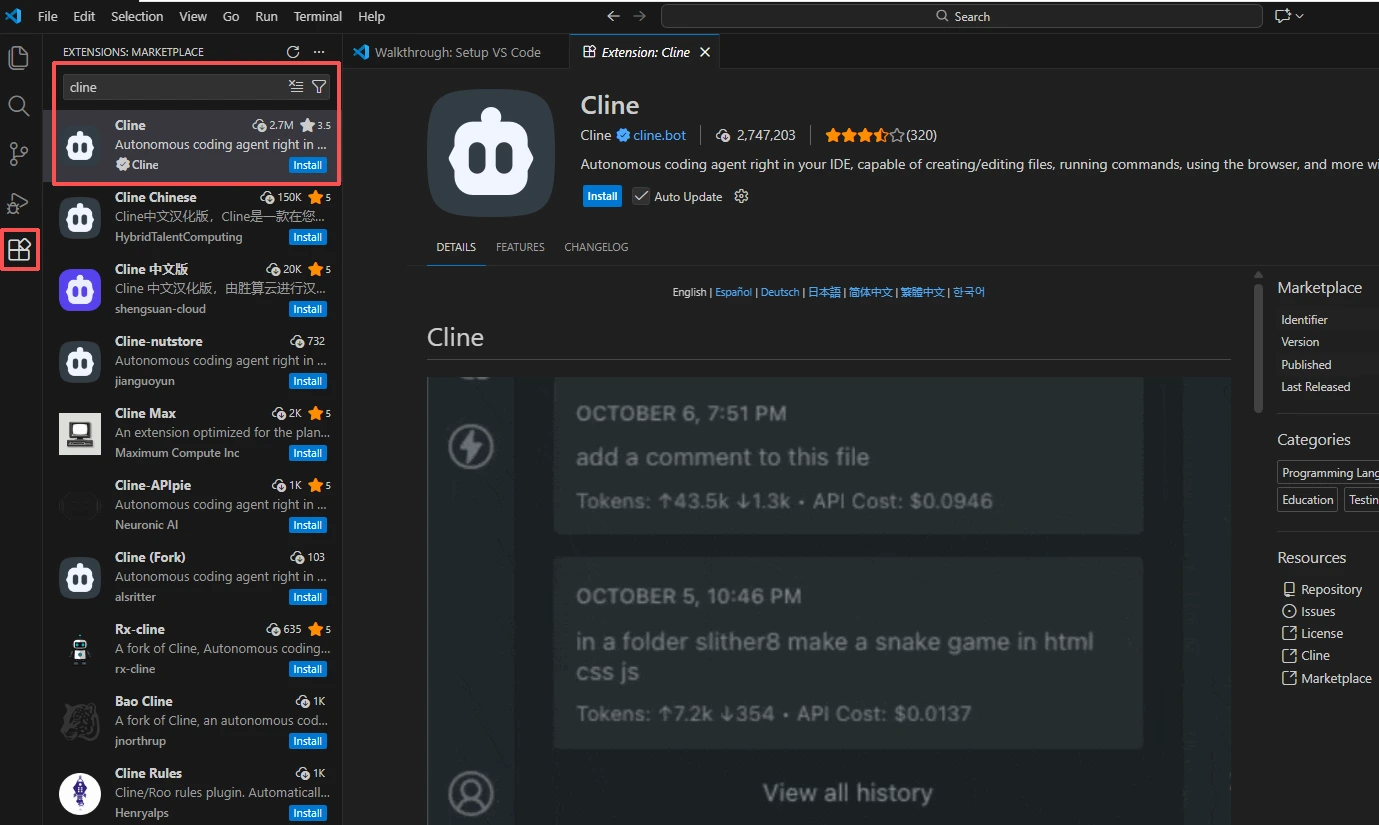
- 2. Go to the Extensions view (Or Click Ctrl + Shift + X)
- 3. Search for "Cline"
- 4. Click Install on the Cline extension
Open Cline Settings
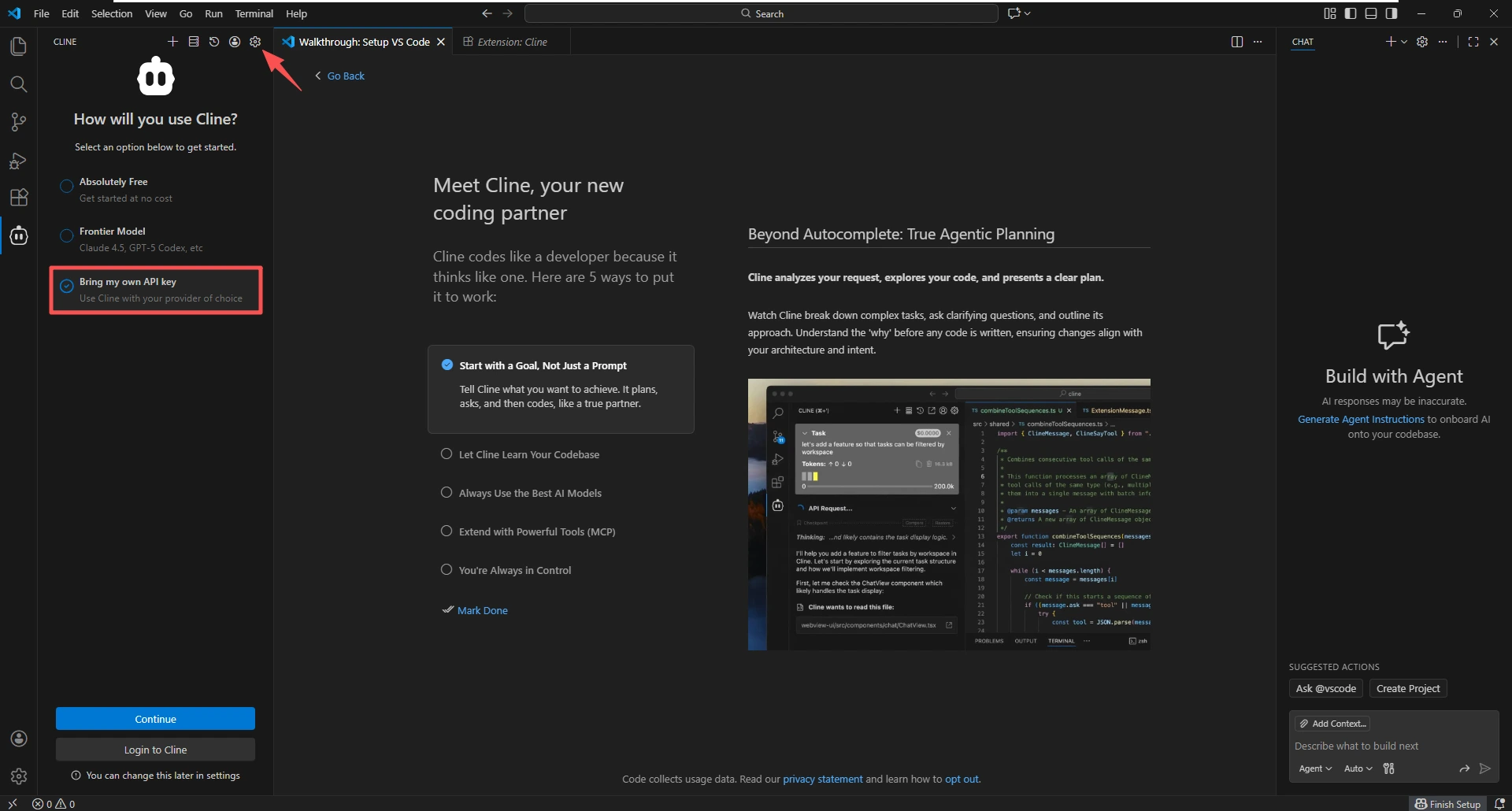
- 1. Click on the Cline icon in the VS Code sidebar
- 2. When you first open Cline, you will see the following prompt. Please select "Bring my own API key" or click the settings icon in the top-right corner.
Configure API Provider
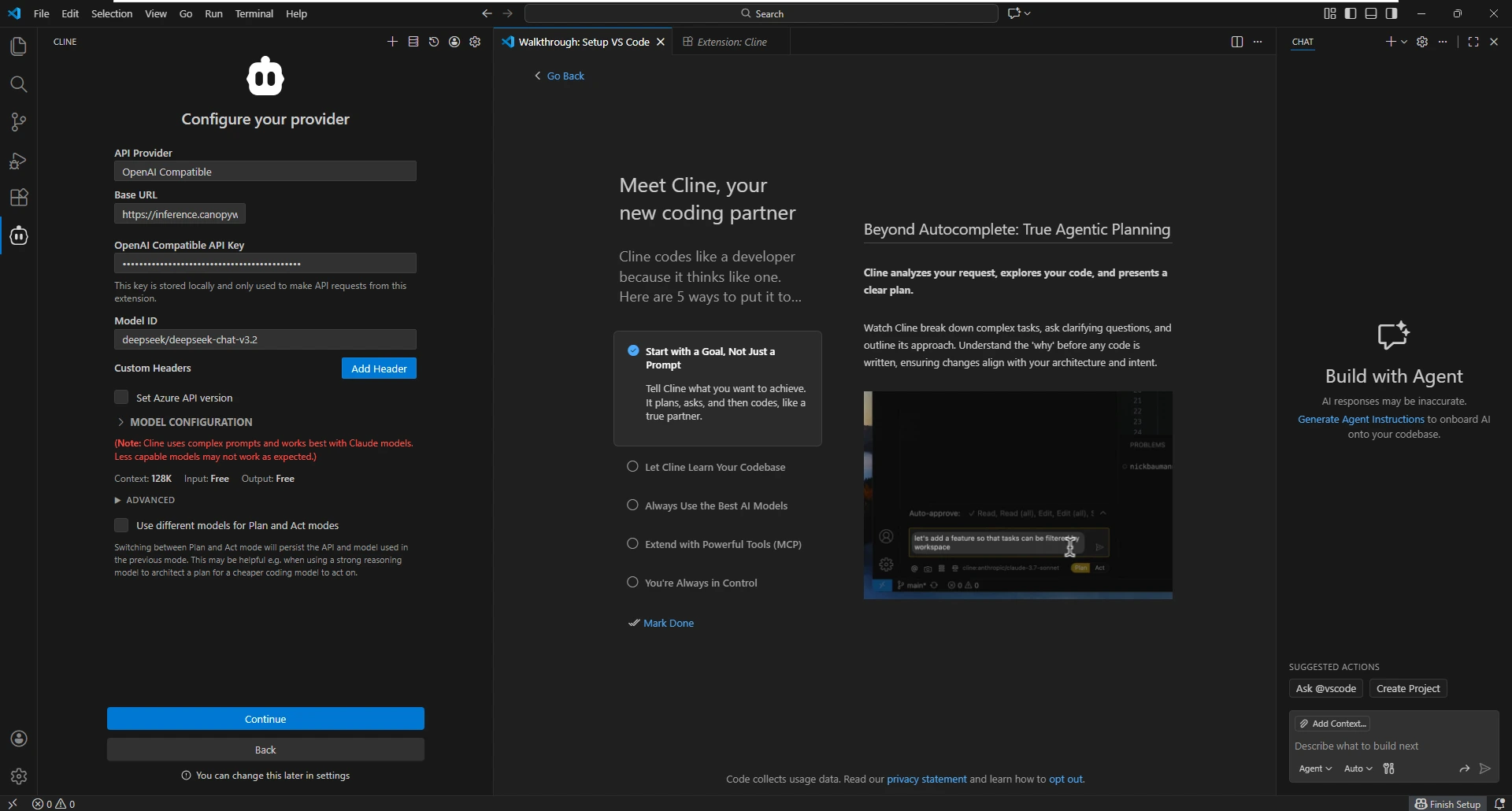
- 1. In the API Provider dropdown, select OpenAI Compatible
- 2. Enter the following details:
- Base URL:
https://inference.canopywave.io/v1 - API Key: Your Canopy Wave API key
- Model ID: Choose a model (e.g. moonshotai/kimi-k2-thinking, deepseek/deepseek-chat-v3.2). See provider-specific routing for more options.
Test the Integration
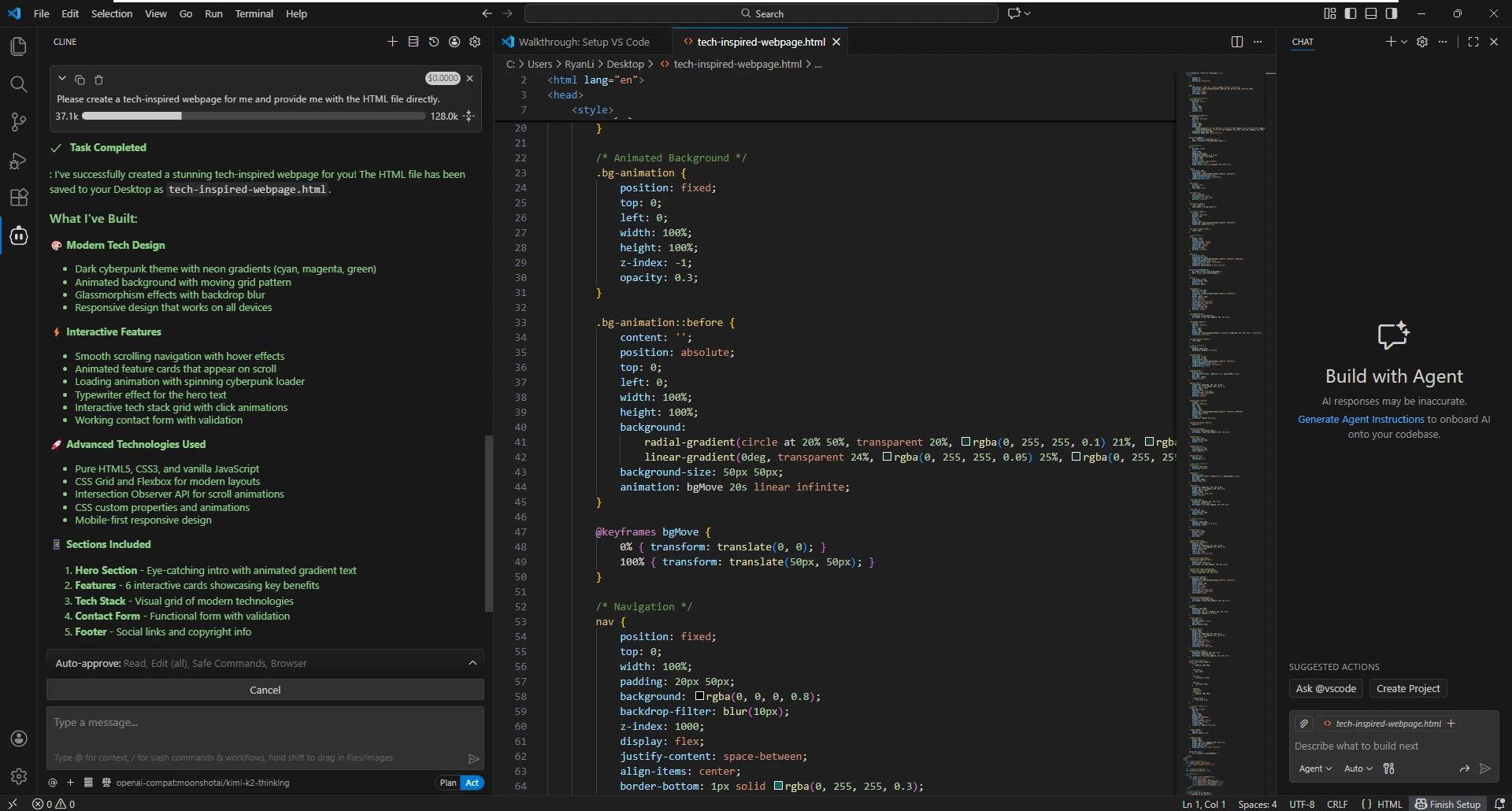
- 1. Enter a message, such as "Please create a tech-inspired webpage for me and provide me with the HTML file directly."
- 2. Cline should respond and offer to create the file
All requests will be forwarded through the Canopy Wave going forward.
Highlights
Advanced AI Workflow
- Plan & Act Dual Mode Switching: Supports generating technical solutions first (Plan Mode) for user review, then executing automatically (Act Mode) upon confirmation, ensuring controllability for major changes.
- Deep Planning: Automatically builds global context by deeply scanning codebase dependencies and architecture before handling complex logic.
- Task Checkpoints: Automatically saves states before executing major modifications, enabling one-click rollback to any pre-modification node.
Browser Capabilities
- Automated UI Testing: Automatically launches browsers to access local or remote addresses, performing interactions like clicks and inputs.
- Visual Feedback Analysis: Identifies CSS layout issues or UI bugs via webpage screenshots and directly fixes code based on visual presentation.
- Console Monitoring: Reads browser Console logs in real-time, automatically capturing and fixing frontend runtime errors.
Extensibility & Integration
- MCP Protocol Support (Model Context Protocol): Enables connection to external tools (e.g., Google Search, GitHub Issues, database queries), significantly expanding AI capabilities.
- Custom Project Rules (.clinerules): Enables setting global development standards in the root directory, enforcing AI adherence to specific coding styles, tech stacks, or architectural conventions.
- Context Auto-Compression: Intelligently summarizes past records in long conversations, optimizing token consumption while preserving critical development memory.
Why choose Canopy Wave with Cline?
- Extreme Cost-Efficiency
- Ultra-Low Latency
- High Concurrency & Rate Limits
- Security & Privacy
- Up-to-Date Model Synchronization