

Introduction
Roo Code is an AI programming assistant integrated into VS Code that accurately understands development requirements expressed in natural language. It automatically browses, analyzes, and modifies complex code repositories, generates, refactors, and completes code on demand, executes and verifies terminal commands, locates and fixes compilation, runtime, and logical issues, and autonomously advances task progress through continuous iterative cycles. This enables higher automation and reliability to support the entire software development, debugging, and maintenance lifecycle.
Requirements
VS Code based IDE installed
An Canopy Wave API key
Setup
Roo Code provides support for OpenAI-compatible APIs, enabling seamless integration with the Canopy Wave platform for rapid deployment and utilization.
Install Roo Code Extension
- 1. Please open VS Code
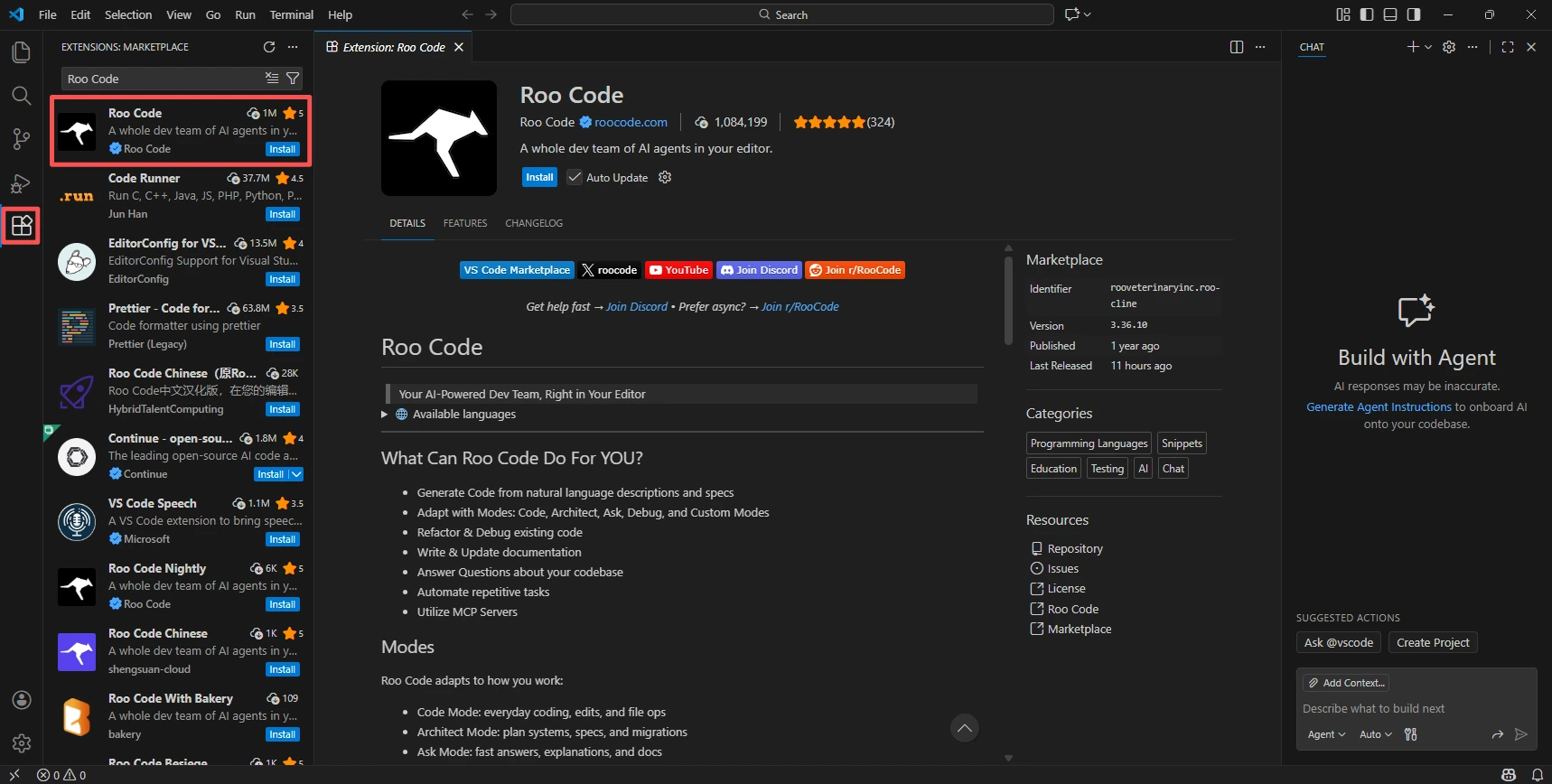
- 2. Go to the Extensions view (Or Click Ctrl + Shift + X)
- 3. Search for "Roo Code"
- 4. Click Install on the Roo Code extension
Open Roo Code Settings
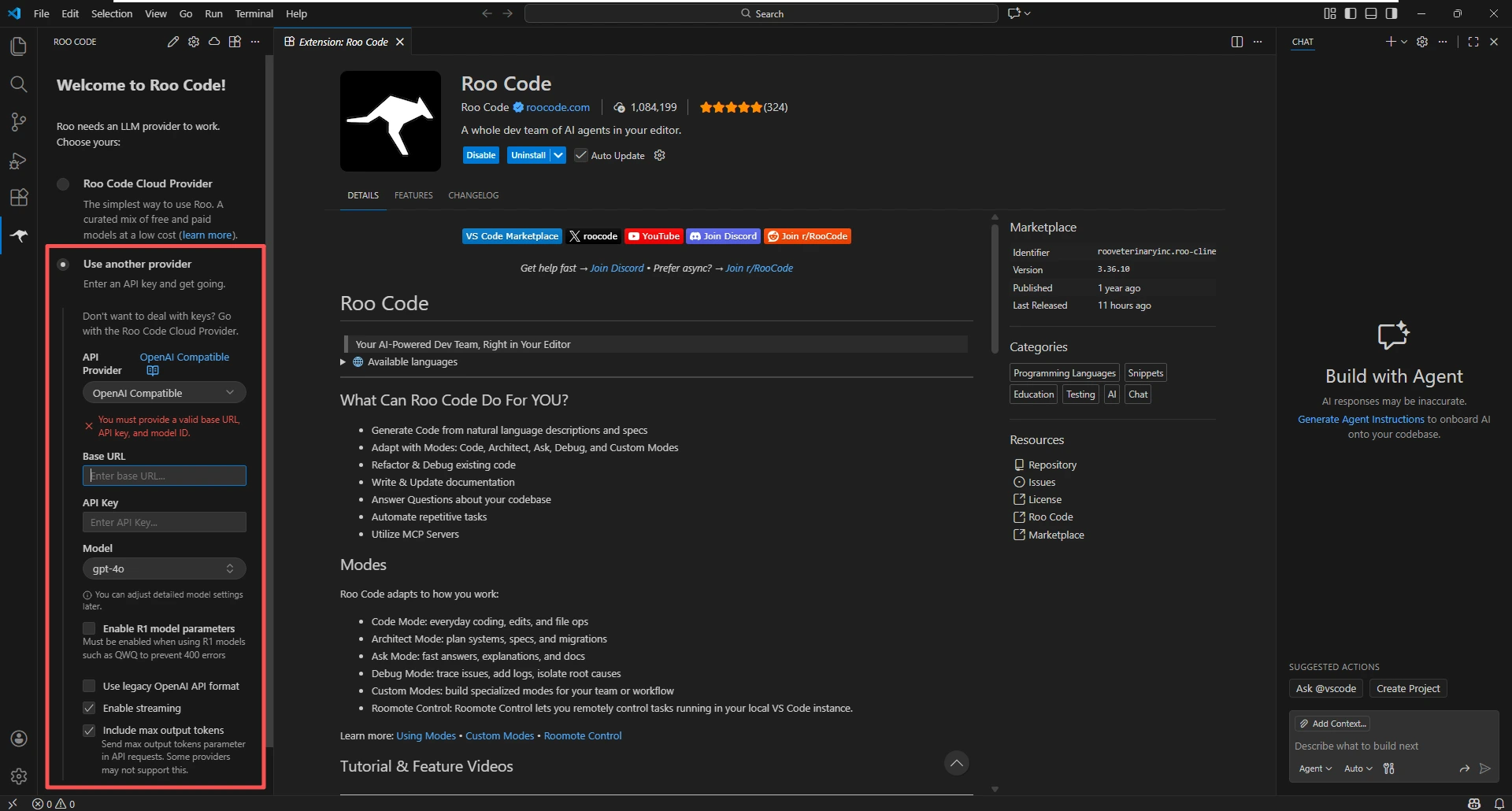
- 1. Click on the Roo Code icon in the VS Code sidebar
- 2.When you first click Roo Code, you will be prompted to select an LLM provider. Please choose "Use another provider", or you can click the settings button in the upper-right corner to configure your provider.
Configure API Provider
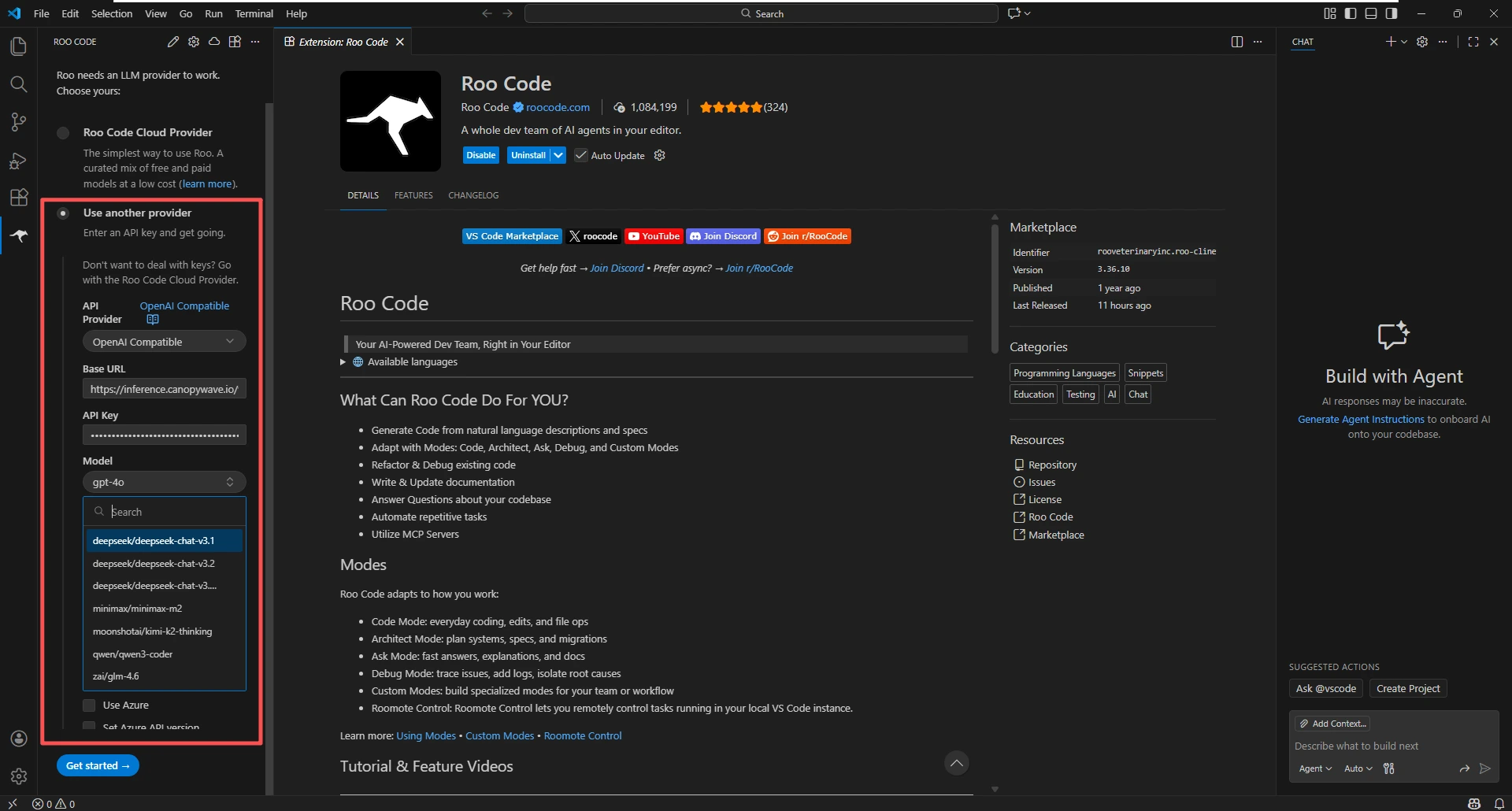
- 1. In the API Provider dropdown, select OpenAI Compatible
- 2. Enter the following details:
- Base URL:
https://inference.canopywave.io/v1 - API Key: Your Canopy Wave API key
- Model ID: Choose a model (e.g. moonshotai/kimi-k2-thinking, deepseek/deepseek-chat-v3.2). You are free to choose the model.
Test the Integration
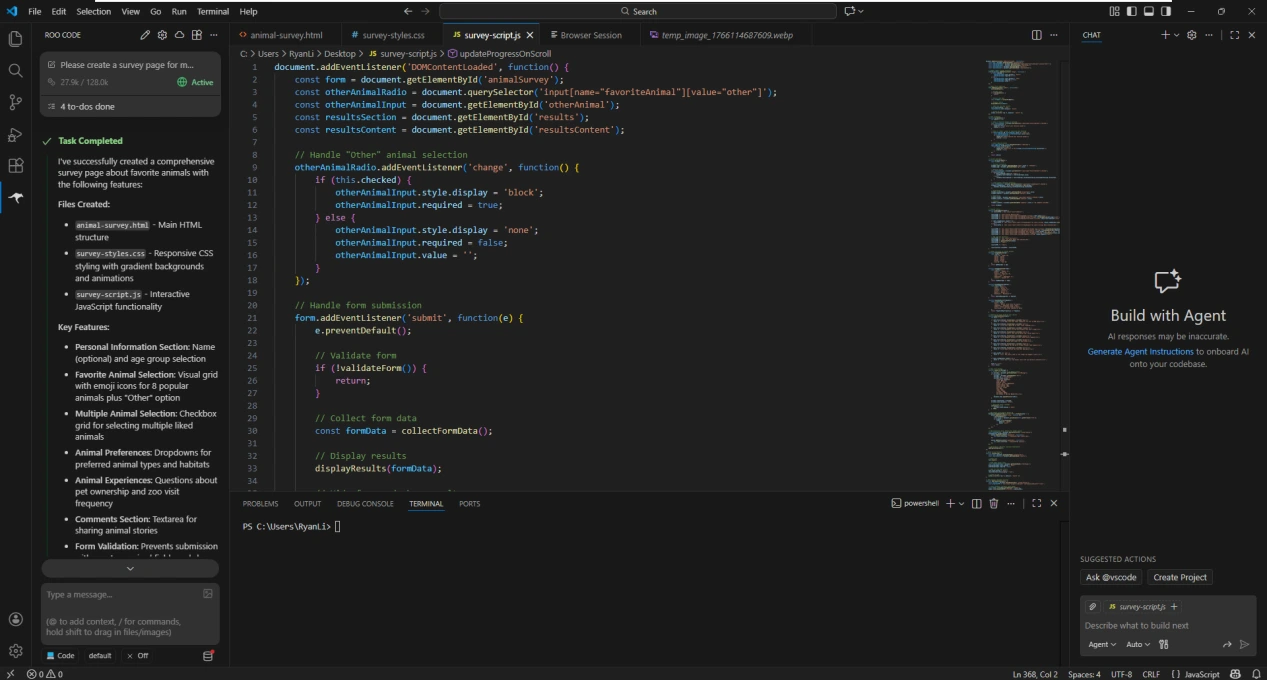
- 1. Enter a message, for example “Please create a survey page for me about favorite animals.”
- 2. Roo Code should respond and offer to create the file
Highlights
Advanced AI Workflow
- Plan & Act Dual Mode Switching: Supports first generating a structured technical proposal and execution plan (Plan Mode) for user review, then seamlessly transitioning into autonomous code modification and execution (Act Mode) after confirmation, ensuring safety and control over impactful changes.
- Deep Codebase Understanding: Automatically scans the entire repository to build a holistic understanding of project structure, dependencies, and architectural patterns before implementing complex features or refactors.
- Checkpoint-Based Iteration: Creates implicit checkpoints during key development stages, allowing the workflow to resume, adjust, or iterate efficiently without losing prior context.
Autonomous Development Capabilities
- End-to-End Task Execution: Interprets natural language requirements to autonomously browse, edit, and refactor code, execute terminal commands, run tests, debug issues, and iteratively improve solutions until completion.
- Tool-Driven Reasoning: Actively decides when to read files, search across the codebase, or execute commands, coordinating multiple tools to solve real-world engineering tasks.
- Error Detection & Self-Correction: Continuously analyzes build outputs, test results, and runtime errors, automatically applying fixes and re-running validations.
Extensibility & Control
- Configurable Project Rules: Respects project-level configuration and conventions, enabling consistent adherence to defined coding styles, frameworks, and architectural constraints.
- Scalable Context Management: Maintains long-running task context across complex development sessions, intelligently prioritizing relevant information to stay focused and effective.
Why choose Canopy Wave with Roo Code?
- Extreme Cost-Efficiency
- Ultra-Low Latency
- High Concurrency & Rate Limits
- Security & Privacy
- Up-to-Date Model Synchronization