1. Install SillyTavern on Windows
Before installation, make sure your system meets the basic requirements: Node.js and Git. The installation process mainly involves cloning the repository via Git and then running the startup script. There are slight differences across different platforms.
1.1 Install Node.js
Node.js — Download Node.js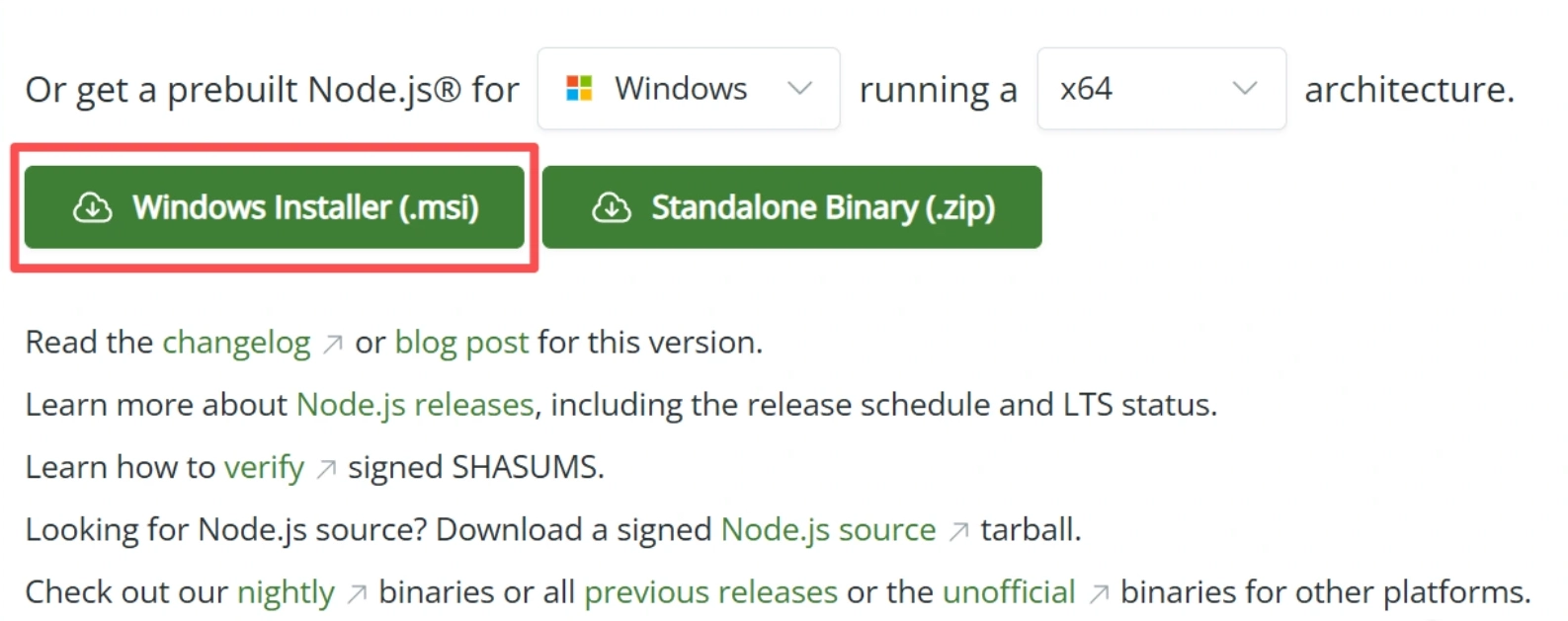
1.2 Install Git for Windows
Git for Windows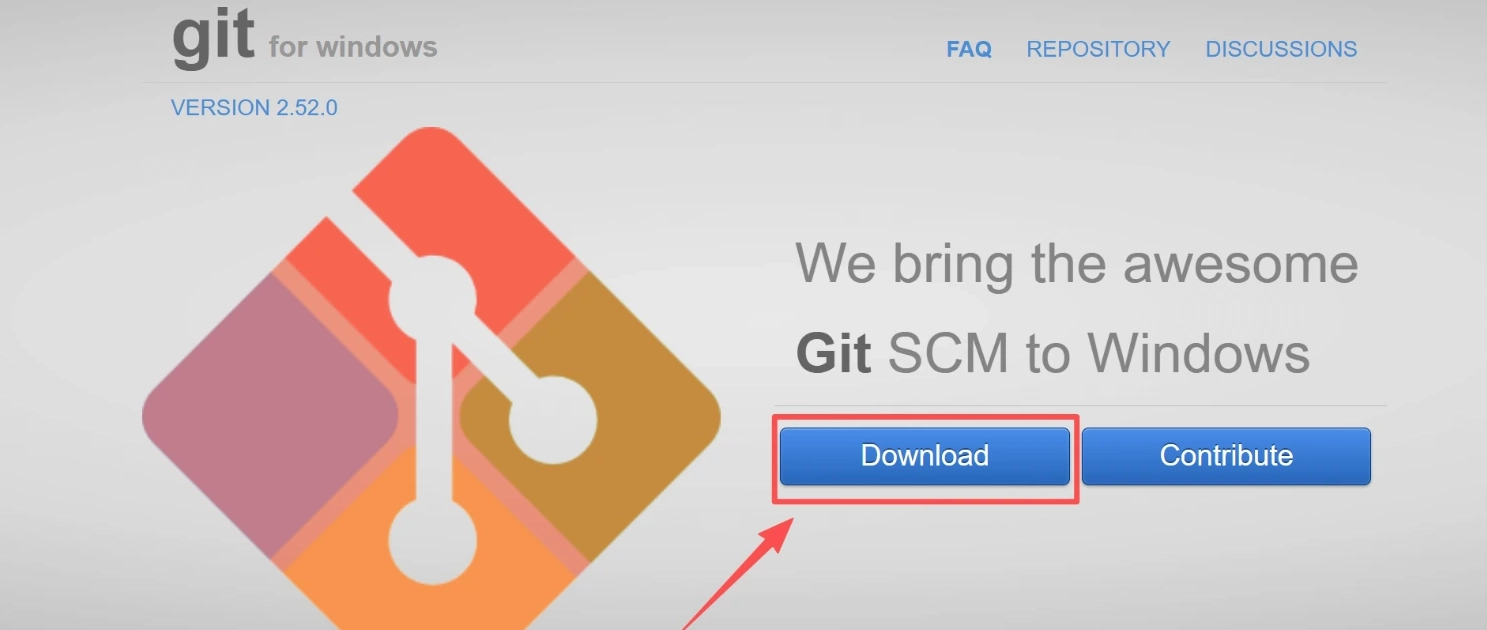
1.3 Installing SillyTavern
After opening the terminal, enter the following command and press Enter. At this point, sillytavern will be automatically downloaded.
(GitHub) git clone GitHub - SillyTavern/SillyTavern: LLM Frontend for Power Users -b release

2. Start SillyTavern
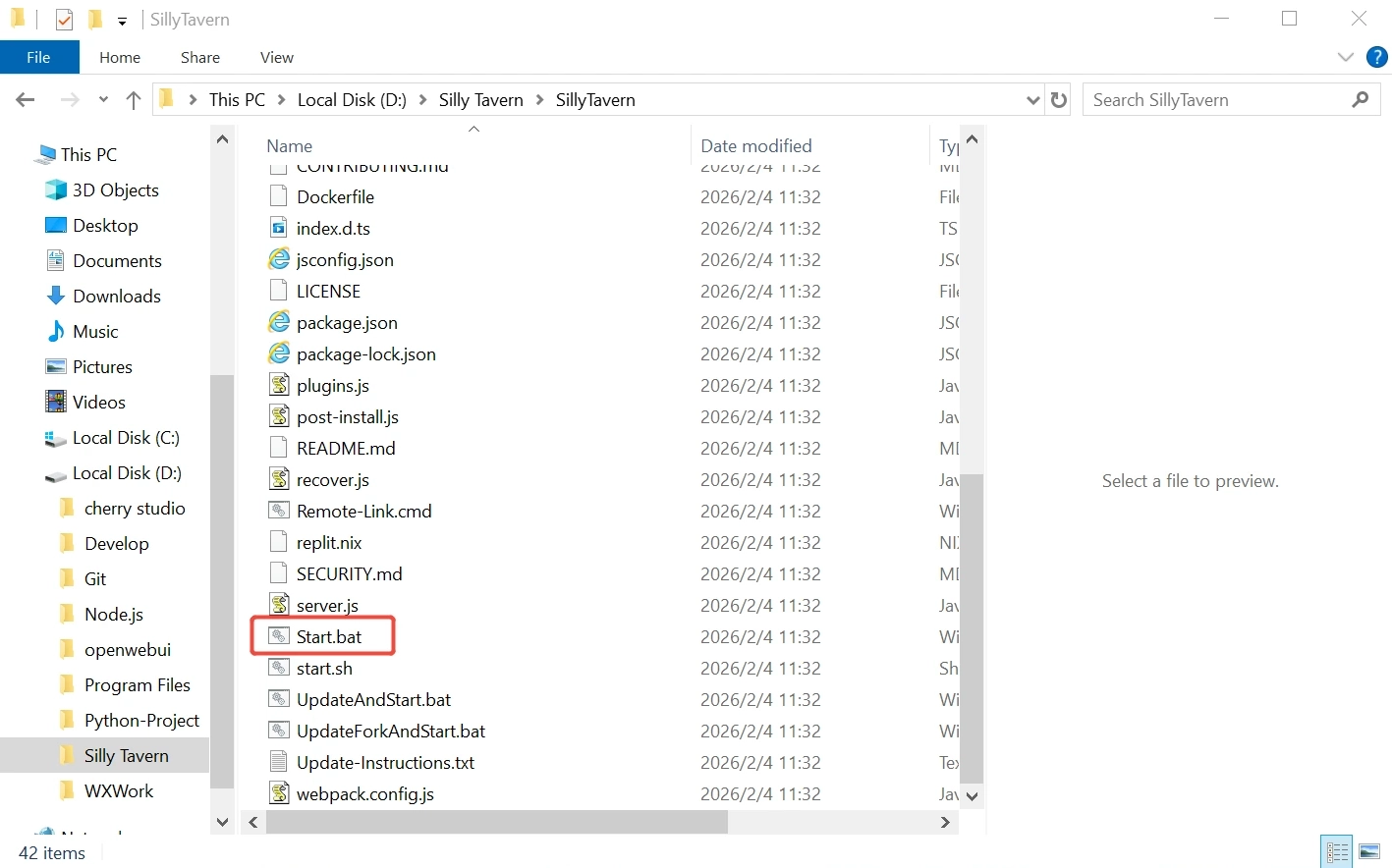
After the cloning process is completed, locate and double-click this Start.bat file, and SillyTavern will automatically open in the browser.
3. Configure your own API
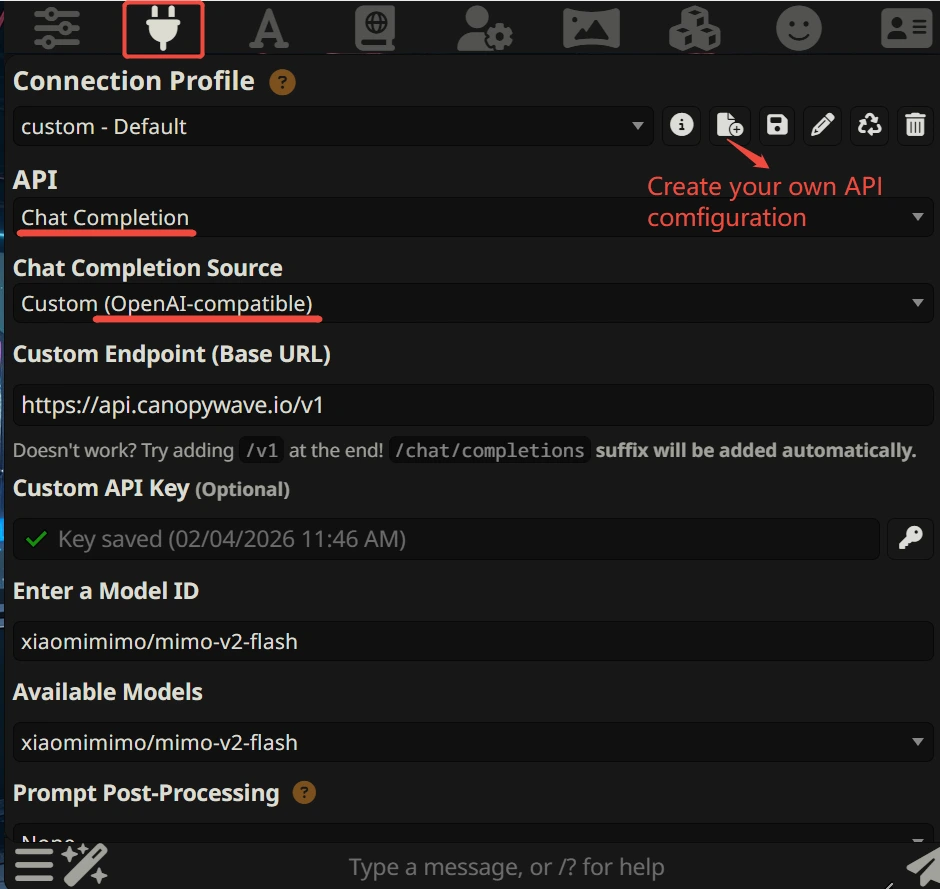
Click on the home icon with the plug symbol.
In the "API Connections" section, the API option should be set to "Chat Completion".
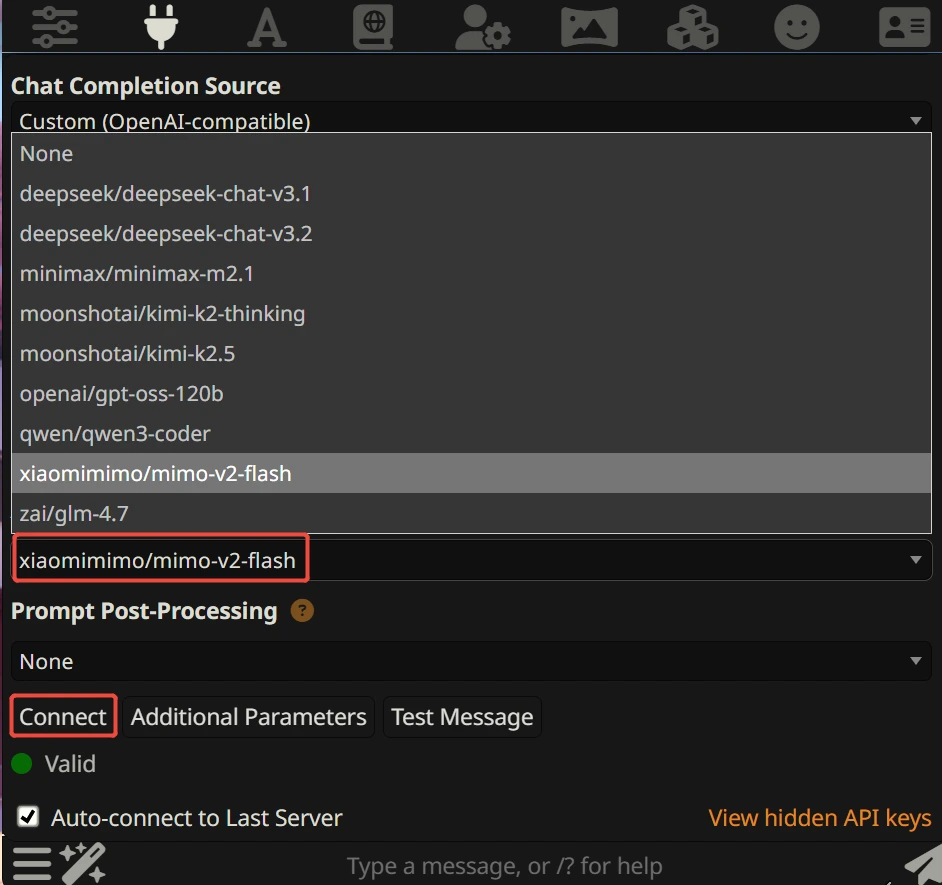
Chat Completion Source selection: Based on your API type, choose the corresponding category by yourself.
Our company is an OpenAI-compatible API, so we select the "OpenAI-compatible" option. For OpenAI's API, just fill in "OpenAI", and the same applies to other cases.
Enter our Canopy Wave cloud platform: Canopy Wave - The World's Best Inference Platform For Open Models
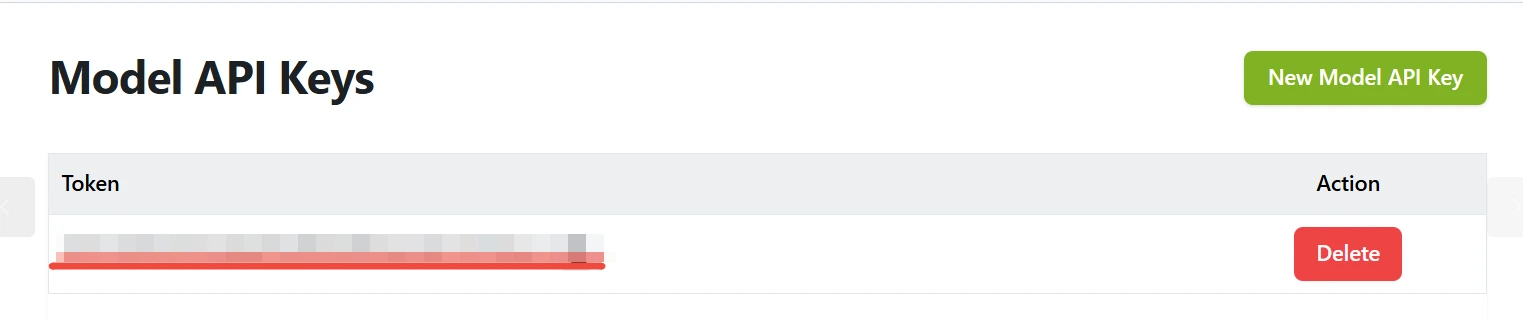
Obtain your exclusive API Key, and enter it in the "Custom API Key" section.
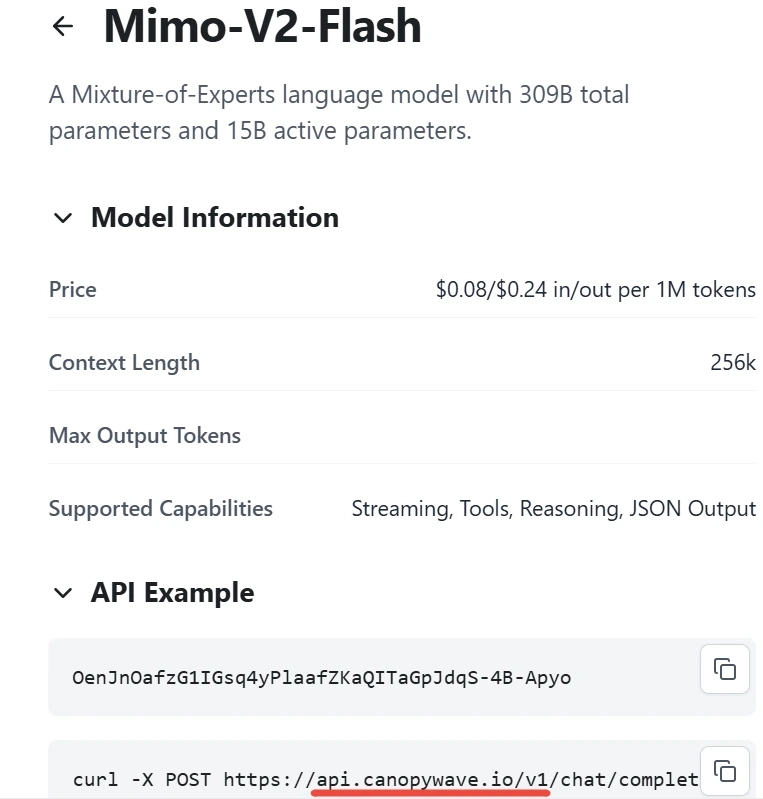
Obtain the calling address of the company, and enter it in the "Custom Endpoint."
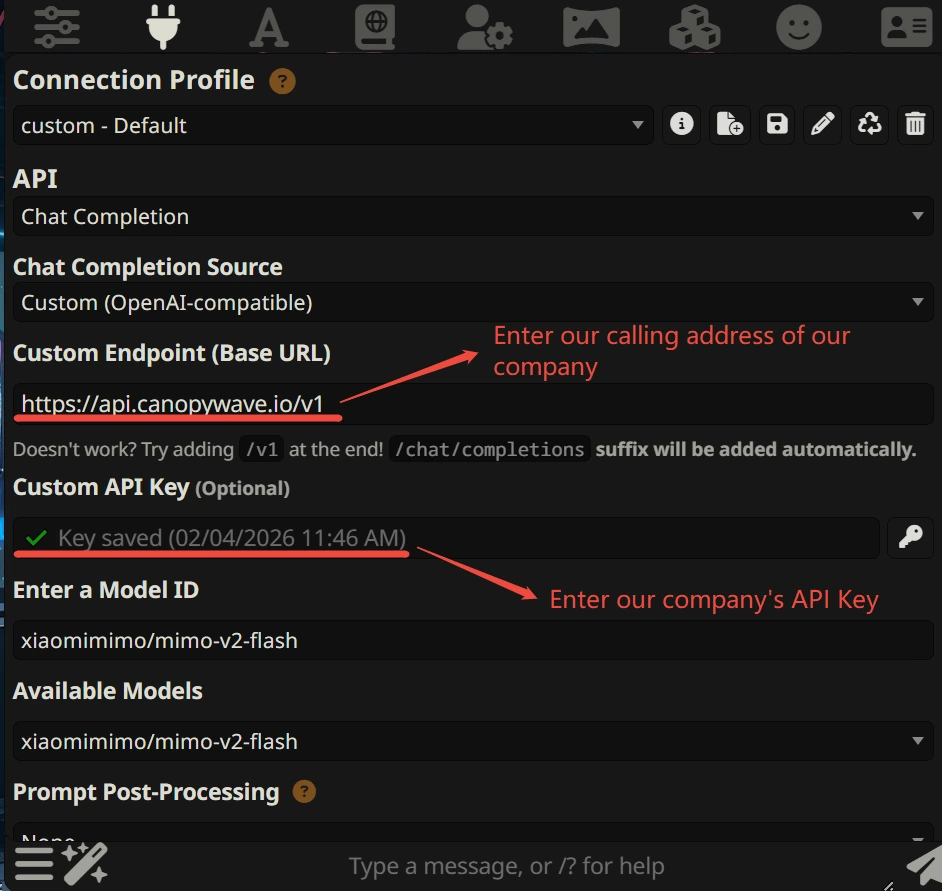
When the connection is successful, this area will display all the model options that we can use and don't forget to click "connect" to link it with our character.
4. Download and import the character card
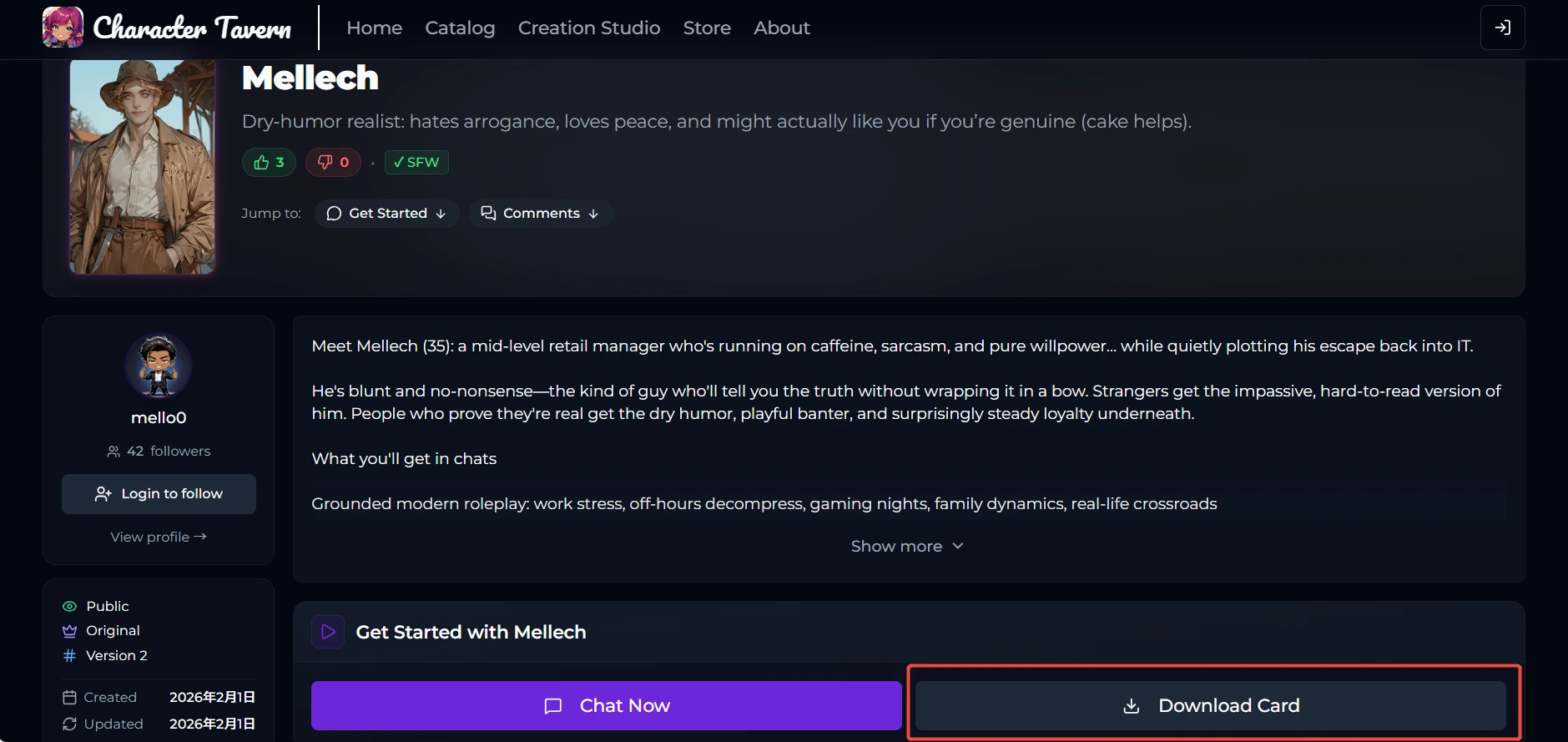
Currently, there are still numerous such websites online. You can search for them. If some websites don't have what you want, then switch to another one. If that doesn't work either, I can help you create a character card using AI. Here, I'll show you one.
First, download the character card and then upload it to Silly Tavern.
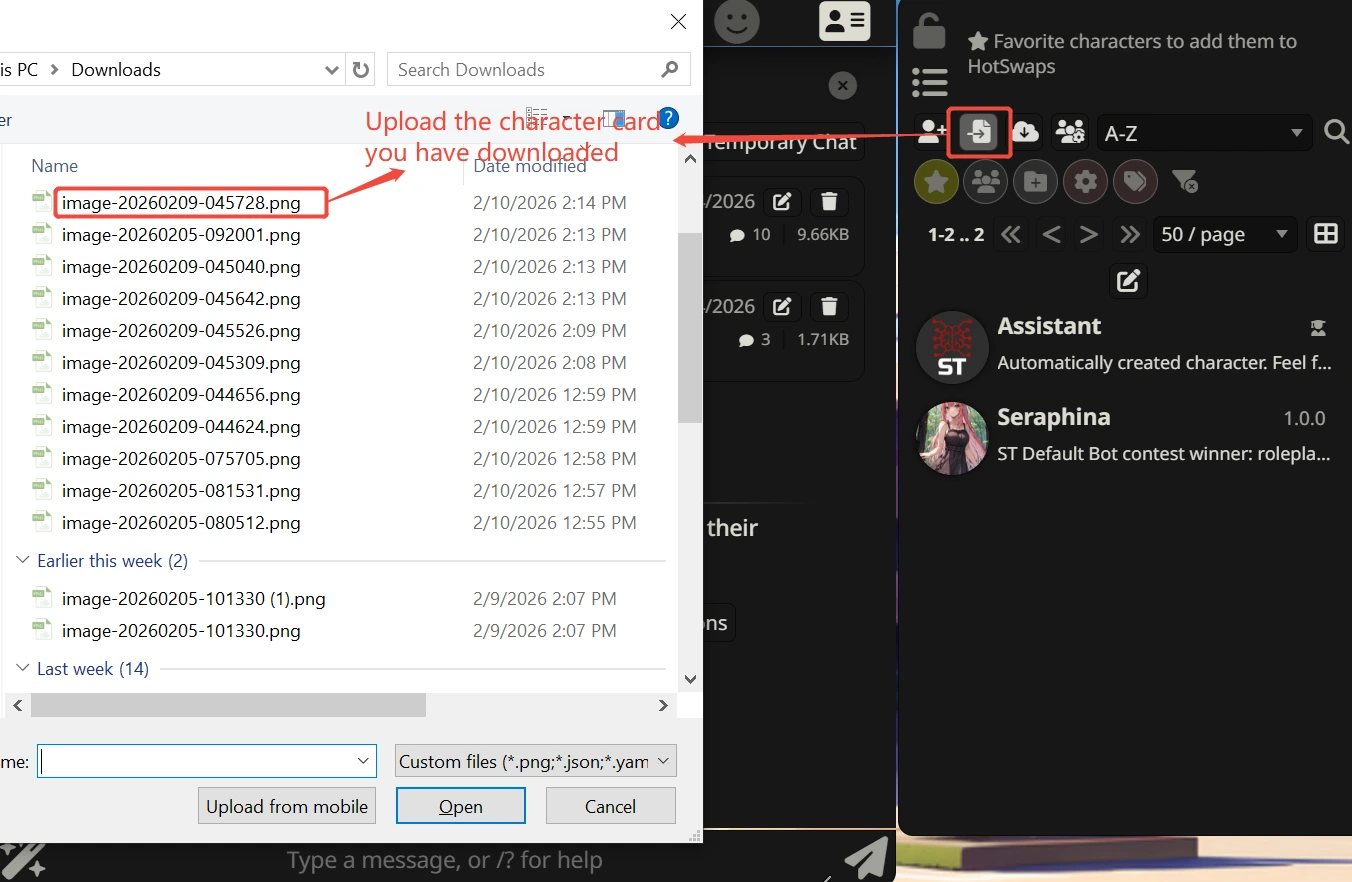
Finally, embark on your wonderful gaming journey.